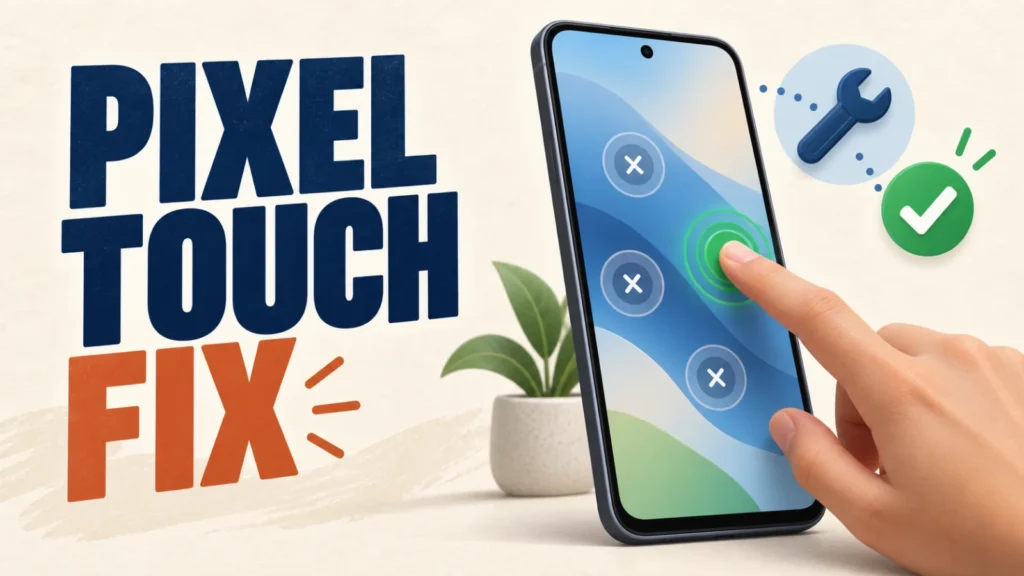
Since Android 17 started rolling out to Pixel phones, one complaint stands out: the touchscreen missing taps or briefly stopping responding.
It’s been widely reported across tech press and Google’s own support forums since the update landed.
The good news: Google has already shipped an official fix for part of the lineup, with a further update reaching more Pixel models in September.
Here’s what’s going on, which phones are already fixed, and what to do if yours isn’t one of them.
Most Android 17 touchscreen problems on Pixel are already fixed if you’re fully updated. Google patched it for Pixel 8 and newer in August, with more models covered in September.
Check Settings > System > System update first. On a Pixel 7, or without the update yet, clearing the Pixel Launcher cache and turning off Smooth Display work best.
Table of Contents
ToggleWhat's Causing Pixel Touchscreens to Misbehave on Android 17
Reports have concentrated on the Pixel 7, 8, 9, and 10 series — missed taps, swipes that don’t register, brief unresponsiveness. The Pixel 6 series has largely been unaffected.
Google hasn’t publicly confirmed a root cause.
Tech press has pointed to touch-input drivers, the 120Hz “Smooth Display” refresh rate, or gesture navigation — but none of that is officially confirmed.
Check for a Software Update First
This is the first thing to try, and it now fixes the issue for most people.
Google’s August 2026 update included an official fix for Pixel 10, rolling out to Pixel 8 and newer.
A further Android 17 QPR1 update reached the rest of the Tensor lineup in September, including the Pixel 6 series’ final supported update.
- Open Settings > System > System update and install anything available. This alone resolves the touchscreen issue for most Pixel 8, 9, and 10 owners.
- Restart the phone after installing, even if it doesn’t prompt you to. A full restart clears any touch-driver state left over from the update process.
- If nothing’s available yet, check again in a few days. Google rolls these updates out in stages, and it can take time to reach every device.
Pixel 8, 8a, and the Pixel 9 and 10 series received Google’s touchscreen fix in the August 2026 update.
Pixel 7, 7 Pro, 7a, and the Pixel 6 series were left out of that rollout, so the workarounds below are your best option until a fix reaches your model.
What Google has confirmed about the Android 17 QPR1 update — the release that brought further Pixel bug fixes in September 2026.
Workarounds If You're Still Seeing the Problem
If you’re fully updated and the touchscreen is still acting up, or an update hasn’t reached your model yet, work through these in order.
- Clear the Pixel Launcher cache. Go to Settings > Apps > See all apps > Pixel Launcher > Storage & cache > Clear cache. This is Google’s own first suggestion, though it doesn’t resolve the issue for everyone.
- Turn off Smooth Display. Go to Settings > Display > Smooth Display and switch it off to drop the screen from its adaptive 120Hz refresh rate to a fixed 60Hz. Several affected users report this stops the erratic touch behaviour, though results vary by device.
- Boot into Safe Mode to rule out a third-party app. Press and hold the power button, then long-press Power off until you’re prompted to restart in Safe Mode. If the touchscreen behaves normally there, a downloaded app is the real cause — remove recently installed apps one at a time until it stops.
- Turn off the triple-tap-to-magnify shortcut. Go to Settings > Accessibility > Magnification and disable the triple-tap trigger, or switch it to a button shortcut instead. An accidental triple-tap can look exactly like the screen ignoring or misreading touches.
None of these workarounds is an official fix, and results are inconsistent between devices — Google hasn’t confirmed the exact cause.
Treat them as a temporary measure until a software update reaches your specific Pixel model.
Should You Report It or Wait for a Fix?
Still not fixed? File a report on Google’s Issue Tracker or the Pixel Community forum with your model and build number (Settings > About phone > Build number).
Google has used reports like these to prioritise which models get fixed first.
Haven’t updated yet and not seeing the problem? There’s no need to rush — waiting for a later update is fine too.
Broader phone troubleshooting steps that go beyond this specific bug, covering both Android and iPhone.
Frequently Asked Questions
Which Pixel phones are affected by the Android 17 touchscreen bug?
Reports have concentrated on the Pixel 7, 8, 9, and 10 series. The Pixel 6 series has largely been unaffected.
Has Google fixed the Android 17 touchscreen issue?
Yes, for part of the lineup. Google’s August 2026 update included an official fix for affected Pixel 10 devices and rolled out to Pixel 8 and newer. Pixel 7 and Pixel 6 series devices weren’t part of that specific update.
Why does turning off Smooth Display help?
Smooth Display switches the screen between refresh rates automatically, and several affected users found that locking the screen to a fixed 60Hz stopped the missed or erratic touches — though it doesn’t work on every device, which suggests refresh-rate handling may be part of the underlying bug.
Does a factory reset fix it?
There’s no confirmed report that a factory reset fixes this bug. Since it appears tied to the Android 17 software itself rather than a corrupted setup, resetting the phone isn’t a recommended first step.
Should I delay updating to Android 17 to avoid this?
If you haven’t updated yet and want to avoid the risk, waiting for a later Android 17 update is a reasonable choice. Downgrading a Pixel that’s already updated isn’t officially supported by Google and can cause other problems.