Laptops for programmers have to hold more open at once than almost any other kind of laptop. An IDE indexing a large project, a browser with a dozen tabs, a local database, and often a container or two — all running together, all the time you are working.
Compare these specialist requirements with our broader laptop buying guide.
The spec sheet that sells a laptop to a general shopper is not the one that predicts whether it will handle that. This guide goes through what to actually check, roughly in the order it matters.
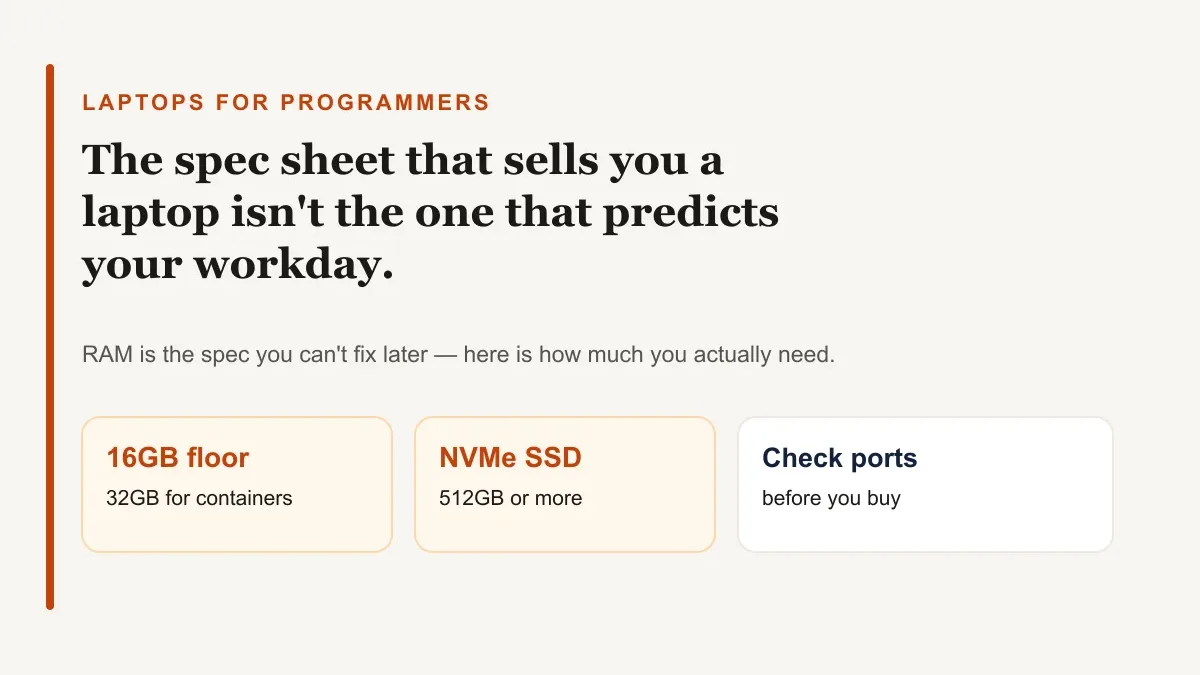
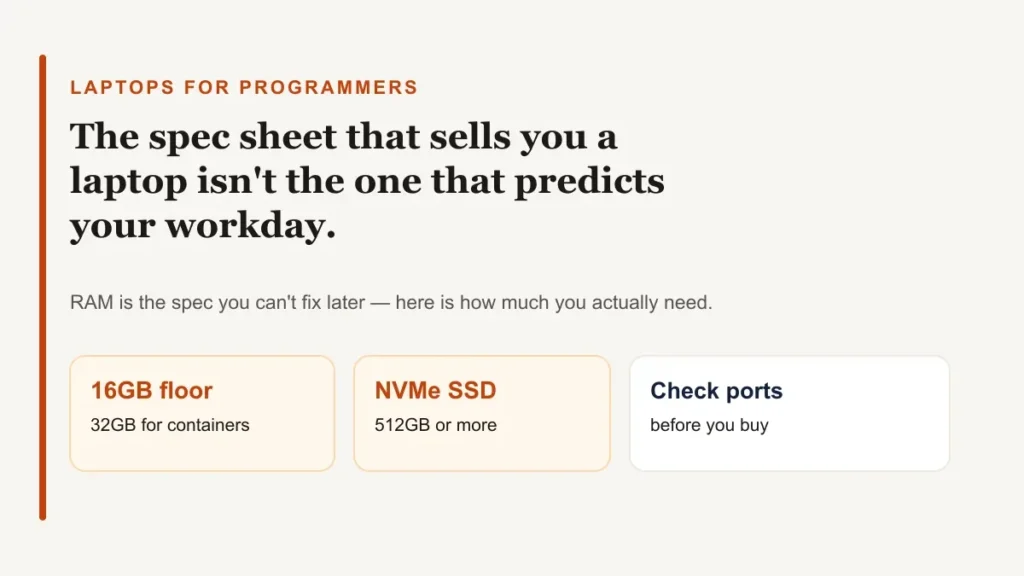
For most programmers, the floor is 16GB of RAM, a current-generation multi-core CPU (Apple M-series, Intel Core Ultra, or AMD Ryzen), and a 512GB NVMe SSD.
Move up to 32GB if you run Docker, an Android emulator, several virtual machines, or large datasets. RAM is the spec that is most expensive to fix later, because on most modern laptops it cannot be upgraded after purchase.
Table of Contents
ToggleWhat programming actually asks of a laptop
Most everyday laptop use is bursty: open an app, use it, close it. Programming is not.
An editor or IDE stays open and indexing all day, a browser holds documentation and a running app in separate tabs, and background processes — a dev server, a database, a container runtime — sit there consuming memory whether you are looking at them or not.
That pattern is why two laptops with the same-looking spec sheet can feel completely different once you are three hours into a working day. The number that predicts the difference is usually RAM, not the CPU model printed on the box.
Unless your work specifically involves graphics, machine learning, or game development, you do not need a gaming-class GPU. Almost everything else on this list matters more for day-to-day coding.
How much RAM you actually need
Software vendors publish minimums that describe their tool running alone, with nothing else open. Docker Desktop’s own system requirements list 8GB of RAM as the minimum on Windows. That is not a comfortable number for a working machine — it is the floor for Docker by itself.
16GB is a realistic baseline for most general programming: web development, scripting, most backend work, and typical IDE use without heavy virtualization.
32GB is worth paying for if any of these is a regular part of your work:
- Running Docker containers alongside your editor and browser.
- Using the Android Studio emulator (Google’s own install guide is written with the emulator’s appetite for memory in mind).
- Running more than one virtual machine at a time.
- Working with datasets that stay loaded in memory.
If the laptop you are considering has soldered, non-upgradeable RAM — true of most thin-and-light laptops now, on both Windows and Mac — buy the amount you expect to need in three years, not the amount you need today.
CPU and architecture: Apple Silicon, Intel, AMD, and Arm Windows
Apple’s M-series chips use unified memory, where the CPU and GPU share the same pool of RAM.
That makes the memory configuration you choose at checkout more consequential than on a typical Windows laptop: the base 14-inch MacBook Pro with the M5 chip offers 16GB, 24GB, or 32GB of unified memory, while the M5 Pro configuration starts at 24GB and can be configured much higher.
Whatever you pick is fixed for the life of the machine.
Recent Intel Core Ultra and AMD Ryzen AI laptops are a safe default for Windows and Linux users, with enough multi-core performance for compiling and running containers comfortably. Check whether a specific model’s RAM is soldered or in a replaceable slot before buying — it varies by model even within the same product line.
Snapdragon-powered Windows laptops run mainstream development well, but some older x86-only tools, drivers, and specific Docker base images still do not run natively on Arm. If your stack depends on a particular toolchain, confirm it supports Arm64 before buying rather than after.
Storage: how much and how fast
An NVMe SSD is not optional at this point — it affects how fast your project opens, how fast your IDE indexes it, and how fast a full build runs. A spinning hard drive will bottleneck all three no matter how good the CPU is.
512GB is a workable minimum. 1TB is more comfortable once you account for multiple SDKs, language toolchains, Docker images, and a local database or two, all of which add up faster than a general-use laptop’s storage needs.
What the SSD-versus-HDD speed difference actually looks like in practice.
Screen, keyboard, and everyday comfort
You will look at this screen and type on this keyboard for hours at a time, which makes both worth testing in person if you can.
A 14-to-16-inch screen at 1920×1200 or higher gives you room for a wide editor pane and a terminal side by side without constant scrolling. A matte finish resists glare far better than a glossy one if you ever work near a window.
Keyboard travel and a stable, accurate trackpad matter more for programming than for general use, since you are not reaching for a mouse for most of the day.
If you plan to connect two or more external monitors, check that specific model’s official maximum external display count before buying — it can be lower on entry-level chip configurations than on higher tiers within the same laptop line.
Battery life and portability
Manufacturer battery estimates are usually measured under light, intermittent use — web browsing and video, not a continuous compile or a running container. Expect real-world battery life during active development work to run noticeably shorter than the advertised figure, particularly on Windows and Linux laptops with a discrete GPU.
Practical ways to get more real-world battery life once you own the laptop.
Ports and connectivity
Thunderbolt or USB4 ports let you connect fast external storage and multiple displays through a single cable, which matters more every year as laptops get thinner.
Beyond that, check for at least one full-size USB-A port if you use hardware keys, external drives, or older peripherals, and an HDMI port or a dock if you regularly present or plug into a shared monitor.
Wired Ethernet is worth having for testing anything sensitive to network conditions, even if you reach for a USB-C adapter to get it.
Matching a laptop to what you actually build
The general guidance above covers most programming work. A few specialities push the requirements further in a specific direction.
Web and full-stack development
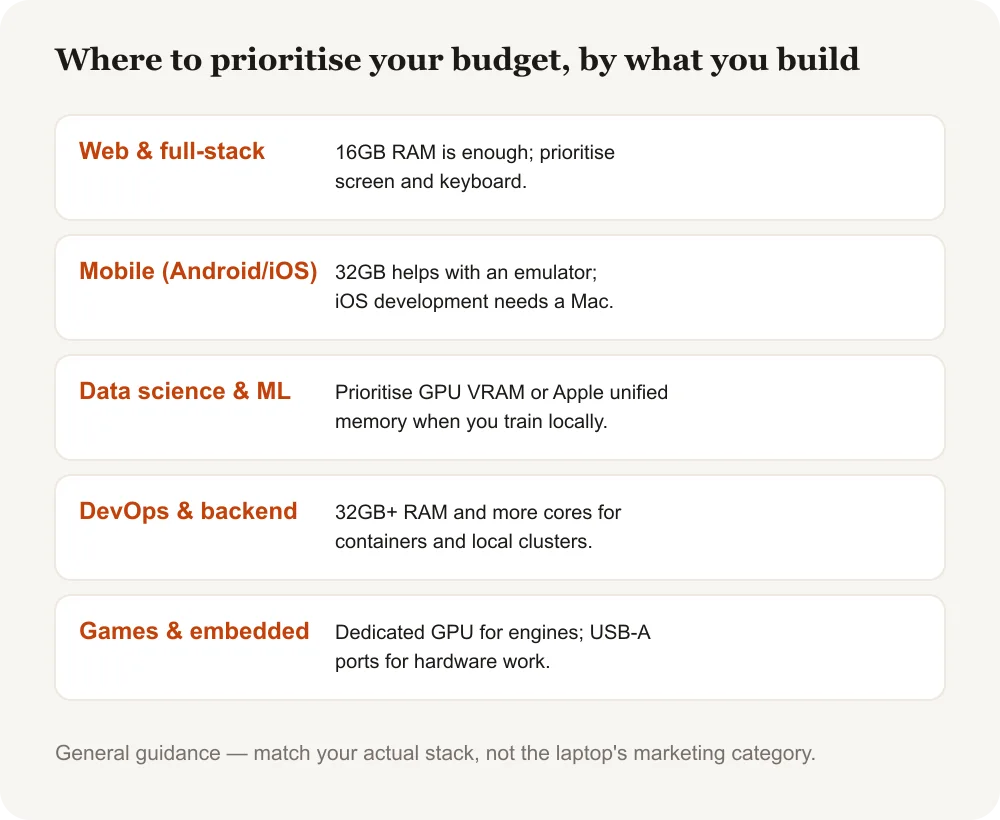
The most forgiving category. 16GB of RAM and a mid-range current CPU handle most frameworks, local dev servers, and a database container without strain. Prioritise a good screen and keyboard here, since day-to-day comfort matters more than raw power.
Mobile app development
Android development means running Android Studio and, frequently, its emulator. Both are RAM-hungry, and 32GB makes a visible difference over 16GB once the emulator is running alongside your editor.
iOS and Swift development requires a Mac, since Xcode does not run on Windows or Linux. A MacBook with 16GB or more of unified memory is a reasonable starting point for most app projects.
Data science and machine learning
Local model work benefits from either a discrete NVIDIA GPU with enough VRAM for CUDA-based training, or an Apple Silicon chip with a generous unified memory pool, since larger models can otherwise run out of memory before they run out of compute.
For most data science work that does not involve training large models locally, the RAM and CPU guidance above still applies — the GPU only matters once you are training, not just analysing.
DevOps, cloud, and backend engineering
This is where 32GB earns its keep fastest: multiple containers, a Kubernetes cluster running locally, and several terminal sessions add up quickly. Favour RAM and core count over any other single spec here.
Game development and embedded systems
Game engines like Unity and Unreal want a dedicated GPU to preview what you are building in real time, closer to a gaming laptop’s spec sheet than a typical programming one.
Embedded and hardware work has the opposite concern: prioritise having enough USB-A ports and, where possible, a laptop with well-supported drivers for the serial and debugging hardware you already own.
Windows, macOS, or Linux for programming
None of the three operating systems locks you out of programming, but each has a natural fit.
Windows with WSL2 gives you a real Linux environment alongside native Windows tools and games, which is why it has become the default for many full-stack and .NET developers. WSL2 requires Windows 10 version 2004 (build 19041) or later, or Windows 11.
macOS is a Unix-based system out of the box, and it is the only option if you need to build for iOS. It is a strong general choice for web, backend, and mobile work outside of Android-only or Windows-only projects.
Linux is the native environment for most backend, DevOps, and embedded work, and it typically uses less RAM at idle than Windows or macOS on the same hardware.
The trade-off is that laptop hardware support — Wi-Fi chips, fingerprint readers, high-refresh displays — varies by model, so it is worth checking a specific laptop’s Linux compatibility before buying it for that purpose.
A closer look at what actually separates Linux, Unix, macOS, and Windows.
Common mistakes when buying a laptop for programming
- Shopping by gaming benchmarks. A laptop built to win frame-rate comparisons is not automatically the best choice for compiling code or running containers — RAM and sustained multi-core performance matter more than peak GPU power for most programming work.
- Buying the base RAM configuration to save money. On a laptop with soldered memory, this is the one decision you cannot undo later.
- Ignoring the keyboard and screen. You will notice a mediocre one every single day, long after the CPU benchmark you compared laptops on stops mattering.
Laptops for Programmers: Frequently Asked Questions
How much RAM do I actually need for programming?
16GB is a workable baseline for general web and application development. Move up to 32GB if you regularly run Docker containers, the Android Studio emulator, multiple virtual machines, or large in-memory datasets.
Do I need a dedicated graphics card for programming?
Not for most programming work. A dedicated GPU matters mainly for game development, machine learning model training, and other graphics-heavy work — general web, backend, and mobile development run fine on integrated graphics.
Is a MacBook or a Windows laptop better for programming?
Neither is universally better. macOS is required for iOS development and gives you a Unix-based environment out of the box. Windows with WSL2 gives you a real Linux environment plus native Windows software. Choose based on what you build rather than a general preference.
How much storage do I need on a programming laptop?
512GB on an NVMe SSD is a workable minimum. 1TB is more comfortable once you account for multiple language toolchains, Docker images, and local databases, which use more space than most people expect.
Can I use a budget laptop for Android Studio or iOS development?
Android Studio is usable on a modest machine but noticeably more comfortable with 16GB of RAM or more, especially with the emulator running. iOS development requires a Mac regardless of budget, since Xcode only runs on macOS.
Is a 2-in-1 or touchscreen laptop worth it for programmers?
The touchscreen and hinge add little value for most coding work, since you spend the vast majority of your time typing rather than touching the screen. They are worth it only if you have a separate use for the tablet mode, such as note-taking or design work.
The short version
Start with RAM: 16GB as a floor, 32GB if you run containers, emulators, or virtual machines regularly. Pair it with a current-generation CPU and an NVMe SSD of at least 512GB. Everything past that — screen, keyboard, battery, ports — is about the hours you will spend using the laptop, not the hours it spends compiling.