Android Security Patch Level: How to Check It and Why It Matters

Anwar AlamAnwar AlamAug 15, 202612 min read0 comments
Android security patch level update protecting a smartphone
Quick Answer

Your Android security patch level is the date of the most recent security update installed on your phone. To check it, open Settings, tap About phone, and look for Android security patch level. A recent date means your phone is protected against the latest known threats. This guide shows how to check it on any phone, why it matters, and how to keep it up to date.

Your Android security patch level is one of the most important signs of how safe your phone is.

It tells you when your phone last received protection against newly discovered threats.

This guide shows you how to check it on any phone, what a good result looks like, and how to stay up to date.

What Is the Android Security Patch Level?

The Android security patch level is the date of the latest security update on your phone.

Google releases security patches regularly to fix newly found vulnerabilities.

Your phone’s maker then rolls these out to your device.

The patch level date shows how current that protection is.

Why the Android Security Patch Level Matters

The patch level matters because it reflects how protected your phone is.

Attackers target known flaws, and patches close those flaws.

A recent patch level means your phone is guarded against the latest threats.

An old patch level means known vulnerabilities may remain open.

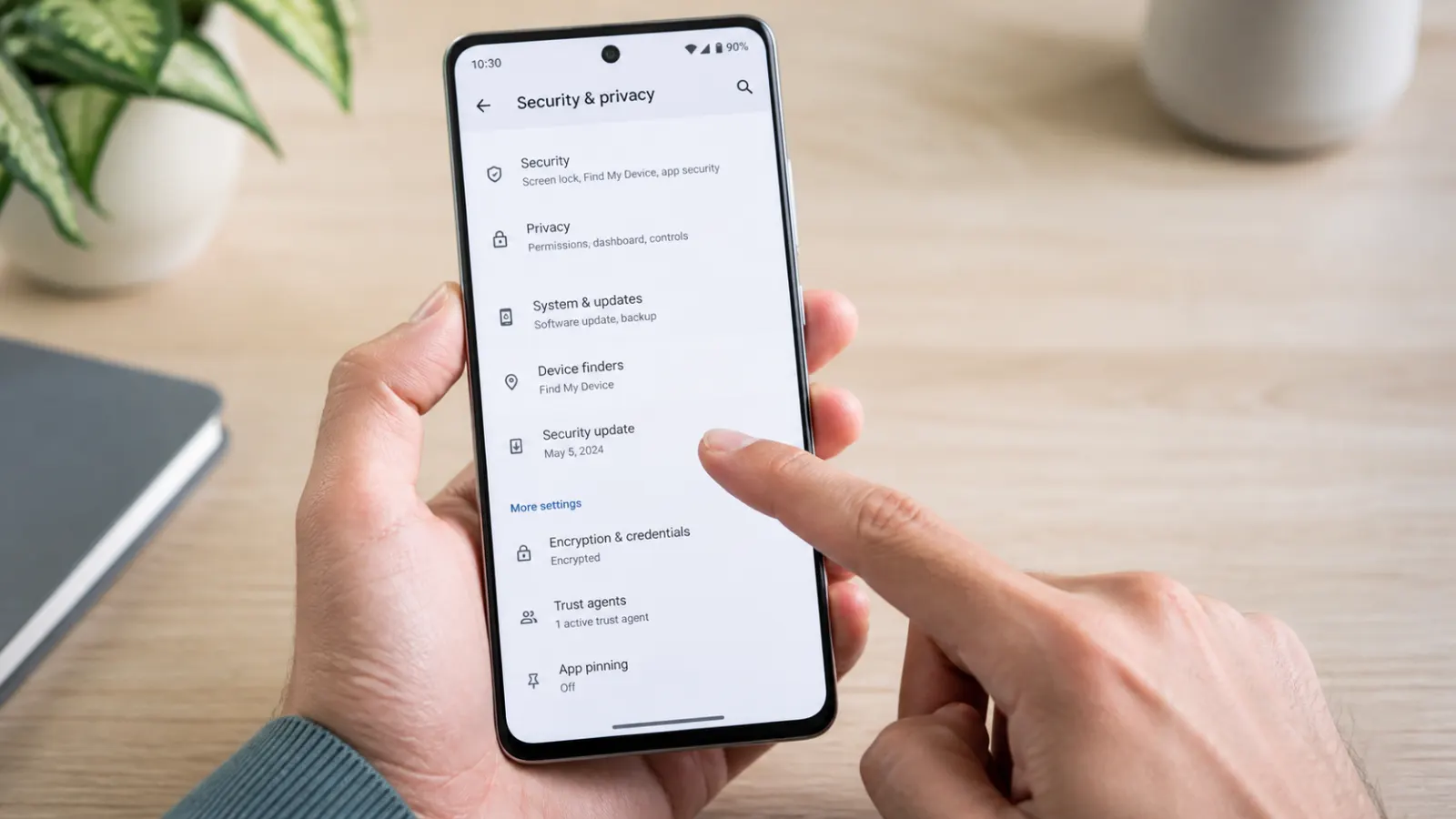
How to Check Your Android Security Patch Level

Checking the patch level takes only a few taps on most phones.

  1. Open the Settings app
  2. Scroll down and tap About phone
  3. Look for Android security patch level
  4. Read the date shown

The date is your current security patch level.

If it is recent, your phone is well protected.

Check Android security patch level in phone settings

How to Check on a Samsung Galaxy

Samsung places the patch level under software information.

  1. Open Settings and scroll to About phone
  2. Tap Software information
  3. Find Android security patch level near the bottom
  4. Read the date

This shows the exact date of your Galaxy’s latest security update.

Related guide

Optimize Mobile Device Speed: 12 Proven Ways to Boost Performance

A secure phone is best paired with a fast one. Tune yours up here.

How to Check on a Google Pixel

On a Pixel, the patch level appears under the Android version.

  1. Open Settings and scroll to About phone
  2. Tap Android version
  3. Read the Android security update date near the top

Pixels usually receive patches quickly, so the date is often very recent.

How to Check on OnePlus and Other Phones

Most other phones follow a similar path.

On OnePlus, open Settings, tap About phone, then Android version to see the patch date.

On other brands, look under About phone or System, then software information.

Wherever it is, the Android security patch level shows the same key date.

What a Recent Patch Level Looks Like

A healthy patch level is dated within the last month or two.

Phones that update well often show the current or previous month.

A date several months old suggests updates are slow or have stopped.

The more recent the date, the safer your phone is.

How Often Should the Patch Level Update?

Google releases security patches every month.

Well-supported phones receive them monthly or every couple of months.

Budget or older phones may update less often.

Checking your patch level shows how regularly your phone is updated.

How to Update Your Android Security Patch

Keeping your patch level current is simple.

  1. Open Settings and tap System, then System update
  2. On Samsung, tap Software update instead
  3. Tap Check for updates
  4. Download and install anything available

Restart if asked, and your patch level updates to the latest date.

Turning on automatic updates keeps you current without thinking about it.

What If Your Phone Is Not Getting Updates?

Some phones stop receiving updates after a few years.

Check whether an update is available, and make sure you have space and a good connection.

If no updates appear, your phone may have reached the end of its support period.

In that case, extra care or a newer phone becomes important for security.

i
Pro tip

Read NextCommon Mobile Device Problems and How to Fix ThemSort out other everyday phone issues with this handy guide.

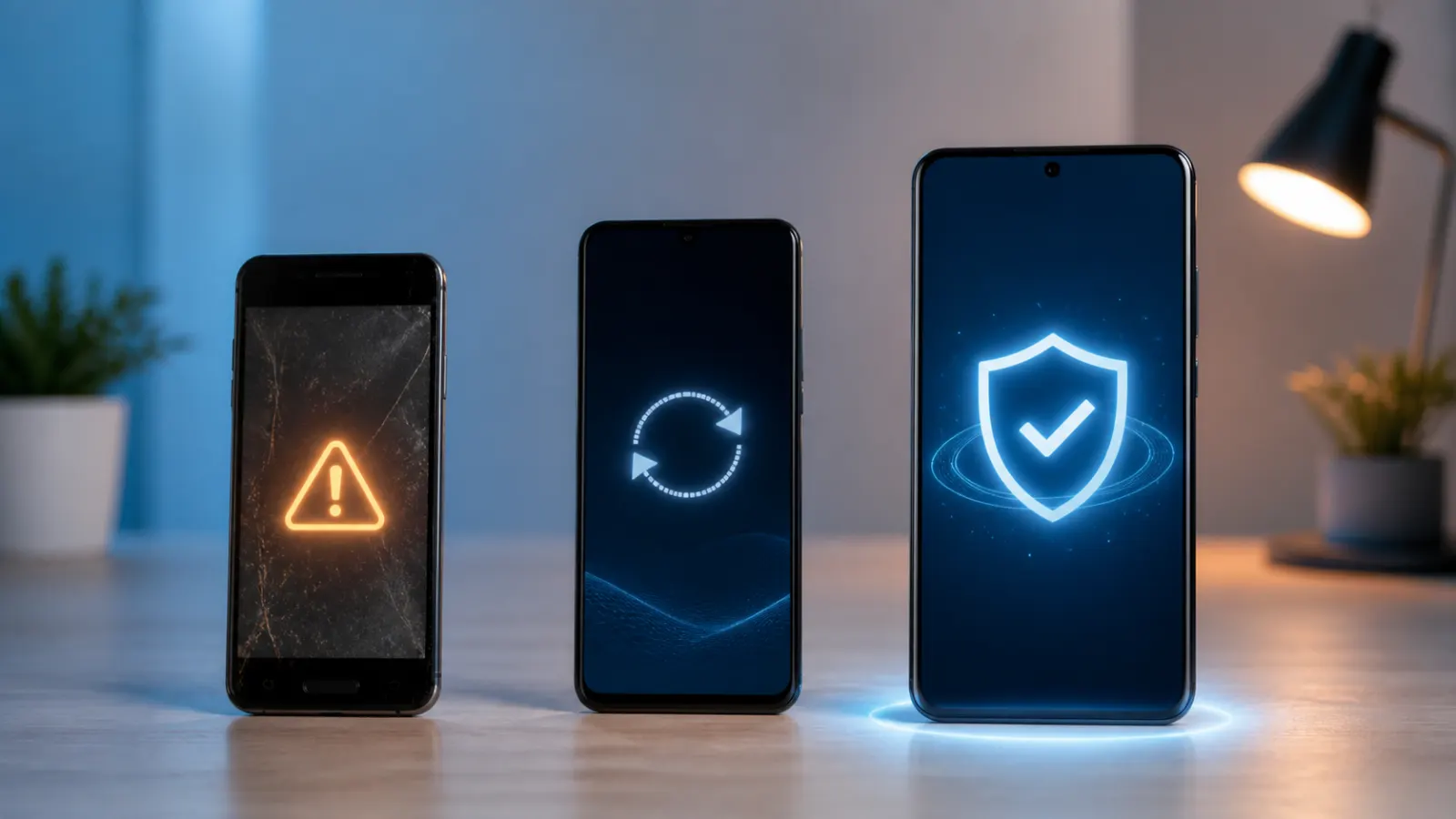
Android update support lifecycle from old phone to protected device

Why the August 2026 Patch Matters

Each monthly patch, including the August 2026 update, fixes newly discovered vulnerabilities.

These flaws are often made public, which means attackers know about them too.

Installing the latest patch closes those specific holes on your phone.

That is why checking and updating your patch level regularly is so important.

Security Patch Level vs Android Version

It is easy to confuse the patch level with the Android version, but they are different.

The Android version is the major release, such as Android 15 or 16.

The security patch level is the date of the latest security fixes on top of that version.

A phone can be on an older Android version but still receive recent security patches.

What to Do With an Old, Unpatched Phone

If your phone no longer gets updates, take extra care.

Avoid installing apps from outside the official store.

Be extra cautious with links, downloads, and public Wi-Fi.

Consider upgrading to a supported phone for the best protection.

Extra Steps to Stay Secure on Android

Beyond patches, a few habits keep your Android phone safe.

Install apps only from the official Play Store.

Use a strong screen lock and turn on Find My Device.

Keep your apps updated and review their permissions now and then.

Final Thoughts on Your Android Security Patch Level

Your Android security patch level is a quick, powerful indicator of your phone’s safety.

Check it in Settings under About phone, and keep it as recent as possible.

Install updates promptly, and take extra care if your phone is no longer supported.

For the technical details, Google’s Android security bulletins list what each patch fixes.

How Android Security Patches Work

It helps to understand how patches reach your phone.

Google publishes a monthly security bulletin listing fixes.

Phone makers take these fixes and prepare updates for their devices.

Your phone then downloads and installs them, updating your patch level.

Why Some Phones Update Slower

Not every phone gets patches at the same speed.

Google Pixel phones usually update first, straight from Google.

Other brands add their own software, which takes time to test.

Budget and older phones often update least often.

Checking the Patch Level Regularly

Making a habit of checking your patch level keeps you safe.

Look at it once a month when you check for updates.

Note whether the date is moving forward over time.

A patch level that stops advancing is a sign to take action.

Turning On Automatic Updates

The easiest way to stay patched is to let updates install automatically.

  1. Open Settings and go to System update or Software update
  2. Open the settings or options menu
  3. Turn on automatic download and install
  4. Choose to install overnight if offered

With this on, your phone keeps its patch level current on its own.

You just need a connection and enough battery or charge.

How Long Do Phones Get Security Updates?

The support period varies by brand and model.

Many phones receive security updates for several years from release.

Some newer flagships now promise longer support windows.

Check your maker’s policy to know how long your phone is covered.

What Happens When Support Ends

When updates stop, your patch level freezes at its last date.

New vulnerabilities found after that are not fixed on your phone.

The phone still works, but its security slowly falls behind.

This is the point to weigh extra caution or a new device.

Staying Safe on an Older Phone

If your phone is past its update window, a few habits reduce the risk.

Install only trusted apps from the official store.

Avoid sensitive tasks like banking on an unpatched phone.

Keep a strong screen lock and be careful with links and downloads.

Security Patches and App Updates

System patches and app updates are both important but different.

The security patch level covers the operating system itself.

App updates fix issues within individual apps.

Keeping both current gives you the strongest protection.

Reading the Patch Date Correctly

The patch level is shown as a date, and knowing how to read it helps.

It usually appears in a year-month-day format, such as the first of a month.

The month tells you which security bulletin your phone has.

Compare it to the current month to see how up to date you are.

Does a Newer Android Version Mean a Newer Patch?

Not always, since the two are separate.

Upgrading Android usually brings a recent patch level with it.

But a phone can stay on an older Android version and still get monthly patches.

Always check the patch level date rather than assuming from the version.

Protecting Your Phone Beyond Patches

Patches are vital, but they are one part of staying safe.

Use a strong screen lock and two-factor login on important accounts.

Back up your data so a lost phone never costs you your files.

Review app permissions and remove apps you no longer use.

Keep an Eye on Your Patch Level

Your Android security patch level is a simple check with a big payoff.

A quick look each month tells you whether your phone is protected.

Keep it current with updates, and take extra care once support ends.

With this habit, your phone stays as safe as it can be.

Checking the Patch Level on a Tablet

Android tablets have a security patch level too.

Open Settings, tap About tablet, and look for the security patch level.

The steps mirror those on a phone from the same maker.

Keeping a tablet patched matters just as much as a phone.

Why Google Publishes Patches Monthly

Security threats appear constantly, so patches come on a steady schedule.

Monthly updates let makers fix new flaws quickly.

This regular rhythm keeps supported phones protected over time.

It also makes it easy to see whether your phone is keeping up.

Samsung, Pixel, and Update Speed

Different brands handle updates at different speeds.

Pixel phones get patches first, directly from Google.

Samsung is known for strong, regular updates across many models.

Other brands vary, so the patch level check tells you where yours stands.

What to Do If Updates Keep Failing

Sometimes an update will not install, leaving your patch level behind.

Make sure you have enough storage and a stable connection.

Restart the phone and try checking for updates again.

If it still fails, a visit to the maker’s support can help.

Balancing Updates and Storage

Updates need space, so a full phone can block them.

Keep some storage free so patches can download and install.

Clear unused apps and old files if space runs low.

A little free space keeps your patch level moving forward.

Security Patches on Custom Android Phones

Some phones run heavily customised versions of Android.

These can take longer to receive Google’s monthly patches.

The patch level check still shows exactly where your phone stands.

If it lags far behind, factor that into your security habits.

Teaching Family to Check Their Phones

Checking the patch level is simple enough for anyone to learn.

Show family members where to find it in Settings.

Encourage them to install updates when prompted.

A quick monthly check keeps everyone’s phone safer.

Making Phone Security a Habit

The patch level is one part of a simple security routine.

Check for updates monthly and install them promptly.

Use a strong lock, back up your data, and stick to trusted apps.

These small habits together keep your phone well protected.

Your Phone, Protected

Knowing your Android security patch level puts you in control of your phone’s safety.

Check it in seconds, keep it current, and take extra care once updates stop.

With this simple habit, your phone stays as secure as it can be, month after month.

Passing On Good Security Habits

Once you know how to check your Android security patch level, share it with others.

Help friends and family find the setting on their phones and install updates promptly.

Some phones fall behind quietly, so a quick monthly check removes the guesswork.

Spreading these simple habits keeps more people safe, and keeps your own phone a step ahead of new threats.

What a Good Security Routine Looks Like

A strong phone-security routine is built from a few small habits.

Check your patch level once a month and install any updates.

Use a strong screen lock and turn on two-factor login for key accounts.

Back up your data and stick to apps from the official store.

Understanding Monthly Security Bulletins

Behind every patch is a monthly security bulletin from Google.

It lists the vulnerabilities fixed in that update.

Your patch level date matches the bulletin your phone has applied.

This is why a recent date means recent, known fixes are in place.

When to Consider a New Phone

If your phone has stopped receiving patches, it may be time to upgrade.

An unpatched phone slowly becomes more exposed to new threats.

Weigh the cost of a new phone against the value of staying protected.

Newer phones also tend to promise longer support periods.

Stay Informed, Stay Safe

Your Android security patch level is a simple, powerful way to judge your phone’s safety.

Check it regularly, keep it current, and act if it falls behind.

Combined with good habits, this keeps your phone secure for as long as you own it.

Keep This Guide Handy

Bookmark this guide so you can check your Android security patch level whenever you need to.

It takes only a moment, and it tells you exactly how protected your phone is right now.

Make the monthly check a habit, install updates promptly, and take extra care once support ends.

With this simple routine, your phone stays as safe as it can be for as long as you use it.

Frequently Asked Questions

What is the Android security patch level?

It is the date of the most recent security update installed on your phone. Google releases patches regularly to fix vulnerabilities, and the patch level shows how current your protection is.

How do I check my Android security patch level?

Open Settings, tap About phone, and look for Android security patch level. On Samsung, tap Software information first. On Pixel, tap Android version. The date shown is your patch level.

Why does the security patch level matter?

Attackers target known vulnerabilities, and patches fix them. A recent patch level means your phone is protected against the latest threats, while an old one leaves known flaws open.

How do I update my Android security patch?

Open Settings, tap System, then System update, or Software update on Samsung. Tap Check for updates and install anything available. Turning on automatic updates keeps your patch level current.

What is the difference between patch level and Android version?

The Android version is the major release, like Android 16. The security patch level is the date of the latest security fixes on top of it. A phone can have an older version but a recent patch level.

What should I do if my phone no longer gets updates?

Take extra care: install apps only from the official store, be cautious with links and public Wi-Fi, and use a strong screen lock. For the best security, consider upgrading to a supported phone.

Facebook
X
LinkedIn

Get the Weekly Fix

One email a week. Real fixes, no fluff.

Subscription Form

Join the discussion

Leave a Reply

Your email address will not be published. Required fields are marked *