Windows 10 Extended Security Updates protect an enrolled consumer PC with critical and important Windows security updates through October 12, 2027. Open Settings > Update & Security > Windows Update and look for the ESU enrollment status. If the PC is not enrolled, choose the settings-sync, Microsoft Rewards, or paid option shown for your region.
Windows 10 Extended Security Updates give eligible Windows 10 users more time to move to Windows 11 or replace an older computer. Standard Windows 10 support ended on October 14, 2025, so a consumer PC must be enrolled to receive the monthly ESU security updates.
If you enrolled before Microsoft extended the program, coverage continues automatically through October 12, 2027. Use the steps below to check eligibility, finish enrollment, and plan the next move.
Table of Contents
Toggle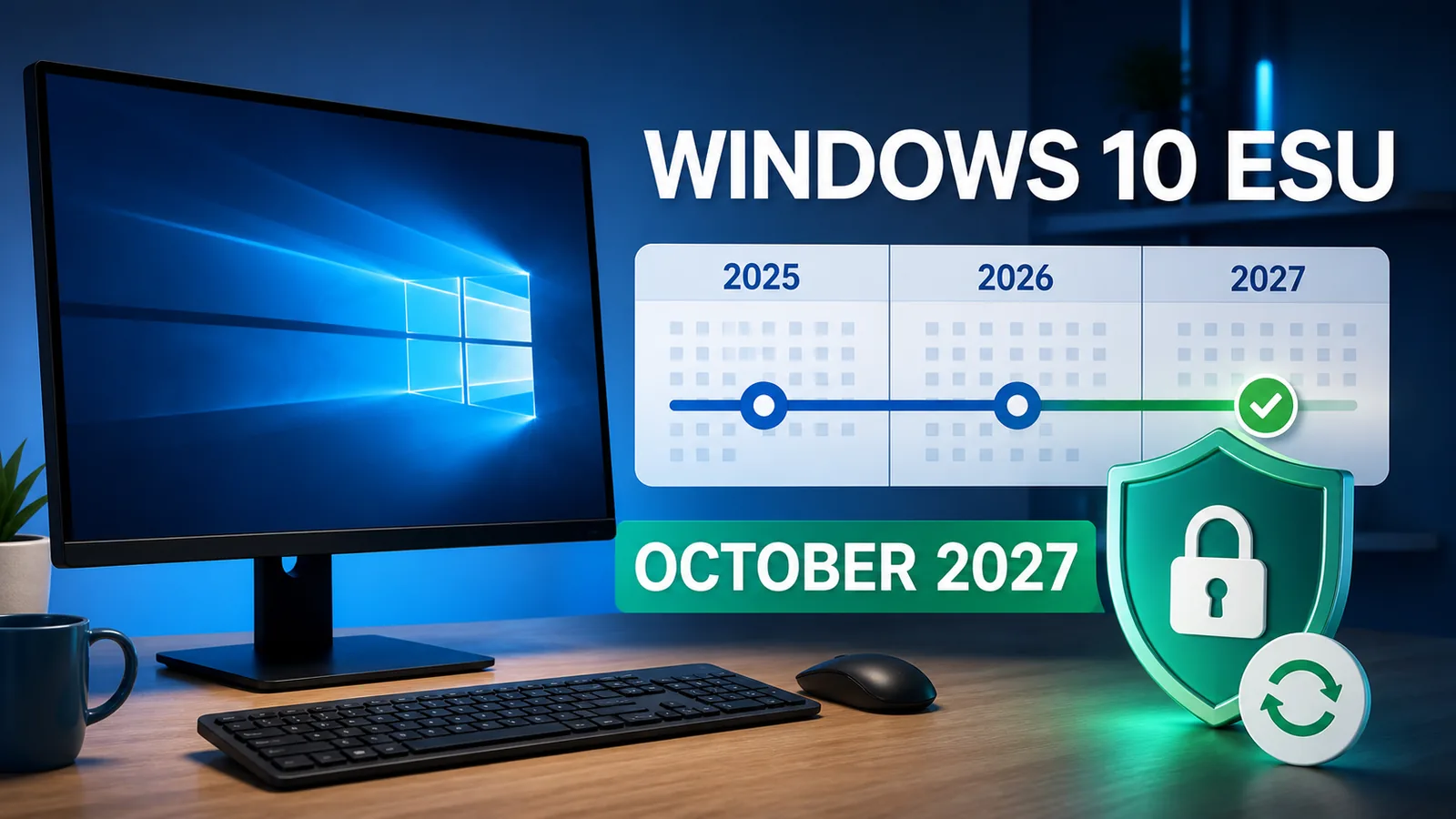
What Changed for Windows 10 ESU
Microsoft’s current Windows end-of-support page says enrolled consumer devices will receive critical and important security updates through October 12, 2027. If a PC is already enrolled, Microsoft says no additional enrollment action is required.
ESU is a temporary security bridge. It does not restart normal Windows 10 support, add features, provide product improvements, or include general technical support. A PC without ESU still starts and runs, but it does not receive the regular Windows security fixes that supported systems receive.
The extension also does not require software vendors to keep supporting their Windows 10 apps, drivers, browsers, or security tools. Check each essential product separately.
Windows 10 ESU Dates That Matter
- October 14, 2025: Standard Windows 10 support ended.
- October 12, 2027: Consumer ESU coverage ends for enrolled devices.
- October 10, 2028: Microsoft currently plans to end security updates for Microsoft 365 Apps running on Windows 10.
These dates cover different products. Microsoft 365 Apps security updates do not extend support for the Windows 10 operating system itself.

Who Can Enroll in Consumer ESU
The consumer program is for personal devices running Windows 10 version 22H2 Home, Pro, Pro Education, or Pro for Workstations. Install current Windows updates before enrolling. The Microsoft account used for enrollment must have administrator rights and cannot be a child account.
You can keep using a local Windows account for everyday sign-in. The enrollment wizard may ask you to sign in with an administrator Microsoft account so the ESU licence can be attached to it. One consumer licence can cover up to ten eligible devices linked through that account.
Commercially managed, domain-joined, Microsoft Entra-joined, kiosk, or MDM-enrolled devices use different licensing rules. A personal PC should show Version 22H2 when you press Windows + R, run winver, and check the About Windows box.
Microsoft released ESU Licensing Preparation Package KB5126256 in September 2026. Microsoft says the package prepares an eligible Windows 10 22H2 device for licensing but does not enroll it by itself. Install current Windows updates and complete enrollment in Windows Update.
How to Enroll in Windows 10 ESU
Choose an enrollment option
Microsoft lists three consumer choices in most regions:
- Sync PC settings: Use Windows Backup to sync settings with the Microsoft account at no additional cost.
- Microsoft Rewards: Redeem 1,000 Rewards points when the option is available.
- One-time purchase: Pay $30 USD or the local-currency equivalent plus applicable tax.
Regional options and timing can vary, including in the European Economic Area. Use the choices displayed on the PC rather than assuming every method is available everywhere.
Complete enrollment in Windows Update
- Open Settings > Update & Security > Windows Update.
- Install pending updates and restart when requested.
- Return to Windows Update and select Enroll now.
- Sign in with an administrator Microsoft account when prompted.
- Select one enrollment option and finish the wizard.
- Confirm that Windows Update reports the device as enrolled in ESU.
Microsoft allows enrollment until the program ends, but delaying leaves the PC without current Windows security patches for the missed period.
Confirm the PC runs Windows 10 22H2, install the latest cumulative and ESU preparation updates, restart, and check Windows Update again. The consumer offer will not appear on many company- or school-managed devices because they use commercial ESU licensing.
How to Confirm the PC Is Enrolled
Return to Settings > Update & Security > Windows Update and look for the specific Extended Security Updates status. “You’re up to date” alone does not prove ESU enrollment.
Install the latest available security update, restart, and open View update history to confirm recent Windows updates are arriving. Installing KB5126256 alone is also not proof: Microsoft states that the preparation package enables licensing components but does not enroll the device or provide ongoing ESU updates.
What ESU Includes and Excludes
Consumer ESU includes critical and important Windows security updates delivered through Windows Update. It excludes new features, customer-requested non-security fixes, design changes, and ordinary Windows 10 technical support.
Supported antivirus, current browsers, careful browsing, and backups still matter, but antivirus cannot replace operating-system security patches. ESU reduces risk while you transition; it does not make Windows 10 a permanent supported platform.
Stay on Windows 10, Upgrade, or Replace the PC
- Stay on Windows 10 with ESU when the PC is reliable, cannot move to Windows 11 yet, and you need planning time. Coverage still ends in October 2027.
- Upgrade to Windows 11 when Windows Update confirms eligibility and your essential apps, printers, and peripherals are compatible.
- Replace the PC when it is slow, unreliable, expensive to repair, or unsupported by Windows 11.
Back up important files before an operating-system upgrade or device replacement. Confirm that the backup can restore at least one sample file.

Secure Windows 11 after upgrading from Windows 10.
Choose a replacement laptop by workload and budget.
Use Windows 10 More Safely Through 2027
- Install each monthly ESU security update promptly and restart to complete installation.
- Keep the browser, Microsoft 365 Apps, password manager, and security software supported and updated.
- Remove software that no longer receives security fixes.
- Maintain a separate versioned backup and test a restore.
- Use two-factor authentication on email, banking, and the Microsoft account used for enrollment.
- Set a firm upgrade or replacement deadline before October 2027.
Create a practical 3-2-1 backup before upgrading or replacing the PC.
Frequently Asked Questions
How long does consumer Windows 10 ESU last?
Microsoft currently says enrolled consumer PCs receive critical and important security updates through October 12, 2027.
Do already enrolled users need to enroll again?
No. Microsoft says coverage for already enrolled consumer devices continues automatically through October 12, 2027.
Is Windows 10 ESU free?
One option has no additional charge when you sync PC settings with Windows Backup. Other options use 1,000 Microsoft Rewards points or a one-time $30 USD purchase. Regional availability varies.
Can a local-account user enroll?
Yes. The wizard may require an administrator Microsoft account for enrollment, but you do not have to abandon the local account used for everyday Windows sign-in.
Does KB5126256 enroll the PC automatically?
No. It prepares eligible Windows 10 22H2 devices for ESU licensing. You must still complete enrollment through Windows Update.
Does ESU make Windows 10 fully supported again?
No. ESU supplies critical and important security updates. It does not add features, general fixes, design changes, or ordinary technical support.