The best laptop for students balances portability, battery life, and price. Look for 8GB of RAM, an SSD, a light 14 or 15-inch design, and all-day battery for classes. Windows laptops suit most courses, Macs appeal to creative students, and Chromebooks are a cheap, simple option for web-based work. This guide explains exactly what to prioritise so you choose well.
Table of Contents
ToggleChoosing a laptop for students means balancing what a course needs against a limited budget.
The right machine has to be light enough to carry, tough enough to survive daily use, and fast enough for assignments.
This guide walks through what matters most so you can pick a laptop that lasts through study and beyond.
What to Look for in a Laptop for Students
A few essentials make a laptop genuinely student-friendly.
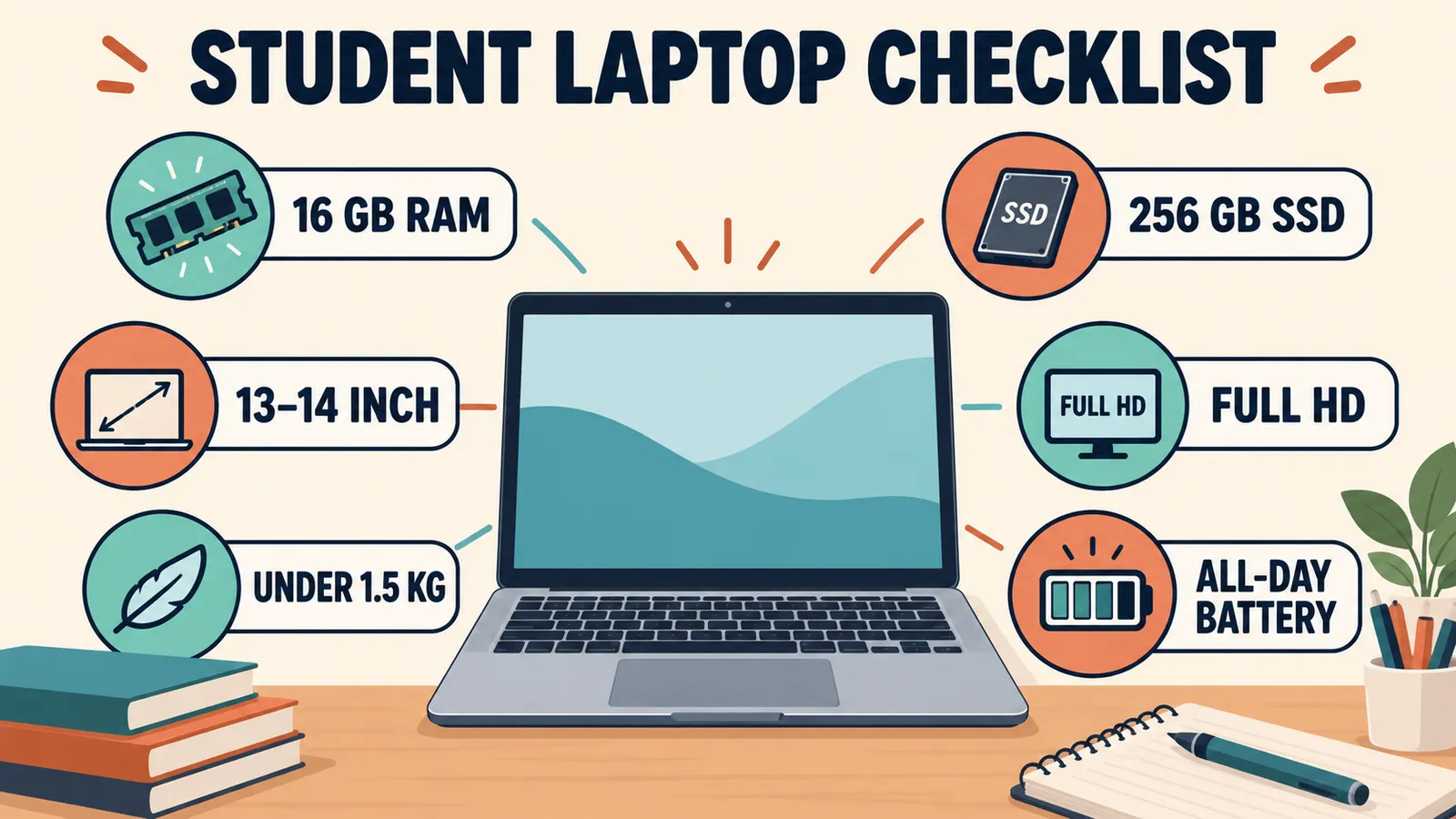
- At least 8GB of RAM for smooth multitasking
- An SSD for fast startup and loading
- A light, portable design for carrying to class
- Long battery life for a full day away from a socket
- A durable build and a comfortable keyboard
Judging any laptop for students against this list quickly shows whether it fits campus life.
Portability: Weight and Size
Students carry their laptop everywhere, so weight and size really matter.
A 14-inch laptop is a great balance of screen space and portability.
Aim for something around 1.5kg or lighter for comfortable daily carrying.
A slim design also slips more easily into a bag alongside books.
Battery Life for a Full Day of Classes
A long battery is one of the most important features in a laptop for students.
Look for a model that lasts most of a school day on a charge.
This means you can move between classes without hunting for a power socket.
Check independent reviews for real battery figures rather than the maker’s claims.
How Much RAM and Storage Students Need
The right memory and storage keep a student laptop fast for years.
Aim for at least 8GB of RAM, which handles browsing, documents, and video calls.
Choose an SSD, ideally 256GB or more, for quick performance.
Cloud storage can cheaply add space for notes and projects.
Laptop Under 30K: How to Choose the Best Budget Laptop
On a tight budget? This guide covers the best specs for the money.
Choosing the Right Processor
The processor decides how smoothly a student laptop runs.
An Intel Core i3 or i5, or an AMD Ryzen 3 or 5, suits most coursework.
Entry-level chips work for very light use but can feel slow over time.
For most students, a recent mid-range processor is the sweet spot.
Display and Keyboard Comfort
Students spend hours reading and typing, so comfort counts.
A Full HD screen keeps text sharp and easy on the eyes.
A comfortable, responsive keyboard makes long assignments less tiring.
Anti-glare screens help in bright classrooms and libraries.
Durability and Build
A student laptop takes daily knocks, so build quality matters.
Look for a sturdy design that can handle being carried in a busy bag.
Some laptops are tested for durability, which is a useful bonus.
A protective sleeve adds cheap extra protection on the go.
Windows, Mac, or Chromebook for Students?
The operating system shapes what a student laptop can do.
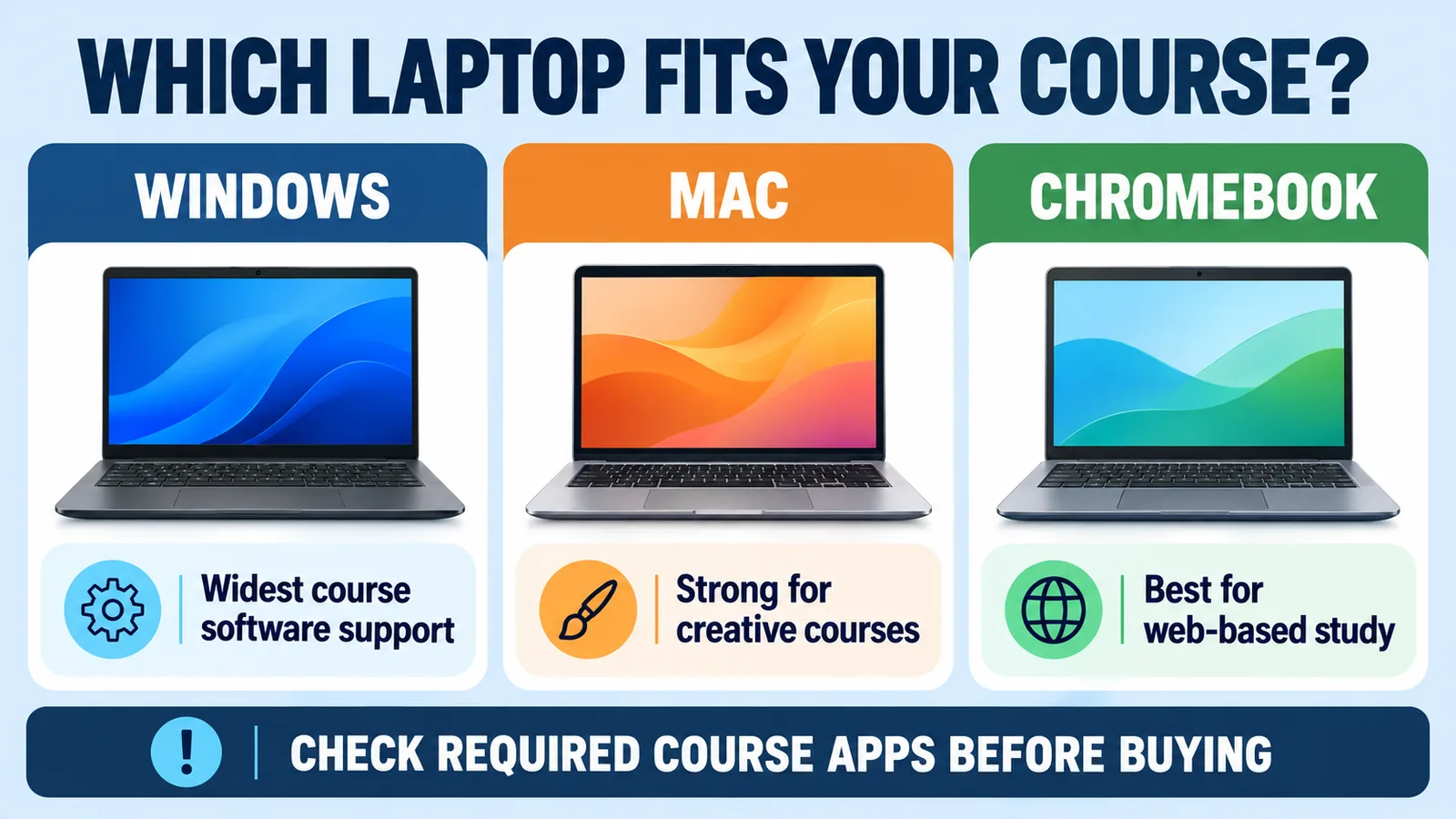
Windows suits most courses and runs the widest range of software.
Macs appeal to creative students but cost more.
Chromebooks are cheap and simple for web-based work, though they run fewer full programs.
Software Students Need
Make sure a laptop can run the software your course requires.
Most students need a web browser, an office suite, and video-call apps.
Check whether your course needs any specialist Windows-only software.
Many schools offer free or discounted office and creative software to students.
Read NextMake Your Laptop Faster: 12 Free Ways That Actually WorkKeep your student laptop quick all through the term with these tips.
Setting a Budget for a Student Laptop
Deciding your budget early narrows the choices quickly.
Budget models handle everyday study well if they have an SSD and enough RAM.
Mid-range laptops add better screens, battery, and build.
Spend a little more only if your course needs extra power.
Best Laptop Types for Different Courses
The ideal laptop for students varies by subject.
For general study and writing, a light, affordable laptop is plenty.
For design, film, or engineering, a more powerful machine helps.
Check with your course for any specific requirements before buying.
Security and Backups for Students
Protecting your work is as important as the laptop itself.
Use a strong sign-in and keep Windows Security or built-in protection on.
Back up assignments to the cloud so a lost laptop never costs you your work.
Save documents as you go to avoid losing progress.
Common Mistakes When Buying a Student Laptop
A few mistakes lead to regret later.
The first is choosing a laptop with a hard drive instead of an SSD.
The second is picking a heavy model that is a chore to carry.
The third is overspending on power a course does not actually need.
Tips to Save Money on a Student Laptop
A few habits help you get more for less.
Watch for student discounts and back-to-school sales.
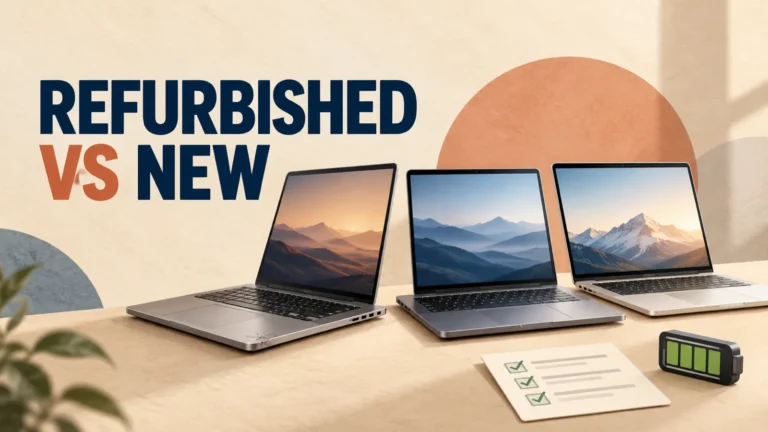
Consider a certified refurbished model from a trusted seller.
Prioritise RAM, an SSD, and battery over flashy extras.
Final Thoughts on Choosing a Laptop for Students
The best laptop for students is light, lasts all day, and runs coursework smoothly.
Prioritise 8GB of RAM, an SSD, portability, and good battery life.
Match the operating system and power to your course, and set a sensible budget.
Since most student laptops run Windows, the Windows support site helps you set one up well.
Laptop vs Tablet for Students
Some students wonder whether a tablet could replace a laptop.
A tablet is great for reading, notes, and browsing, and is very portable.
For long assignments, coding, or specialist software, a laptop is far better.
Many students use a laptop as the main device and a tablet as an extra.
2-in-1 Laptops for Students
A 2-in-1 laptop folds or detaches to work as a tablet too.
This suits students who like to take handwritten notes with a pen.
It offers flexibility for reading, sketching, and typing in one device.
Just check the specs, since some 2-in-1 models trade power for portability.
Screen Size for Studying
Screen size affects both comfort and how easy the laptop is to carry.
A 13 or 14-inch screen is light and ideal for moving between classes.
A 15-inch screen gives more room for research and multitasking.
Choose based on whether portability or screen space matters more to you.
Keyboard and Typing for Assignments
Students type a lot, so the keyboard deserves real thought.
Look for a comfortable, full-size keyboard with good key travel.
A backlit keyboard helps when studying in dim rooms.
Try typing on a model in a store if you can before buying.
Connectivity Students Should Check
The right ports and wireless make campus life easier.
Look for USB-C and USB-A ports and an HDMI output for presentations.
Wi-Fi 6 gives a fast, reliable connection on busy campus networks.
Bluetooth is handy for wireless earbuds and a mouse.
Cloud Storage and Backups for Coursework
Losing an assignment the night before a deadline is every student’s nightmare.
Save your work to the cloud so it is safe even if your laptop fails.
Services like OneDrive and Google Drive sync your files automatically.
Keep a second copy of important projects as extra insurance.
Free and Discounted Software for Students
Students can often get valuable software for free or at a discount.
Many schools provide free office suites and email through the institution.
Look for education pricing on creative and productivity tools.
Free options like open-source software cover many needs at no cost.
Keeping a Student Laptop Fast All Term
A student laptop needs to stay quick through a busy term.
Keep some storage free and install updates promptly.
Remove apps and files you no longer need.
Restart it regularly and back up your work as you go.
Choosing a Laptop for Online Learning
Online classes have their own needs for a student laptop.
A good webcam and microphone make video calls clearer.
Reliable Wi-Fi and enough RAM keep calls smooth with other apps open.
A comfortable screen and battery help through long online sessions.
How Long Should a Student Laptop Last?
A well-chosen laptop for students should last the length of a course and more.
With an SSD and 8GB of RAM, most laptops stay usable for several years.
Looking after it, with updates and care, extends its life further.
Buying slightly better specs now can mean it lasts your whole course.
A Simple Student Laptop Checklist
Keep this quick checklist handy while you shop for a laptop for students.
- 8GB RAM or more
- An SSD, not a hard drive
- Light, portable design under about 1.6kg
- Long, all-day battery life
- A recent processor and a Full HD screen
Tick every box and you can be confident the laptop will handle student life with ease.
Making the Right Choice for Your Studies
The best laptop for students is the one that fits your course, your bag, and your budget.
Focus on RAM, an SSD, portability, and battery, and match the operating system to your needs.
Take advantage of student discounts and back up your work to the cloud.
Choose well, and your laptop will support you right through your studies.
Gaming and Entertainment on a Student Laptop
Students want to relax too, not just study.
Most student laptops handle streaming, music, and light games well.
For serious gaming, you would need a more powerful and pricier machine.
A budget laptop with an SSD still makes a great entertainment device between classes.
Mac Laptops for Students
Some students prefer a Mac for its design and reliability.
Macs are popular for creative courses like film, music, and design.
They cost more, but they hold their value and last a long time.
If you already use an iPhone, a Mac fits neatly into that ecosystem.
Chromebooks for Budget-Conscious Students
A Chromebook is one of the cheapest ways to get a student laptop.
It runs a simple, web-based system that is fast and easy to use.
It is ideal for writing, research, and online classes.
Just make sure your course does not need Windows or Mac-only software first.
Refurbished Laptops for Students
A refurbished laptop can stretch a student budget further.
A certified refurbished model may offer better specs for the same money.
Buy only from a trusted seller that provides a warranty.
This is a smart way to get more laptop for less.
Protecting a Student Laptop on Campus
Laptops are a common target for theft on a busy campus.
Never leave it unattended, and lock the screen when you step away.
Turn on Find My Device so you can locate it if lost.
A cable lock adds cheap physical security in shared spaces.
Essential Accessories for Students
A few accessories make student life with a laptop easier.
A protective sleeve or bag guards it on the move.
A basic mouse is more comfortable than a touchpad for long sessions.
A power bank or spare charger keeps you going through a long day.
Setting Up a New Student Laptop
A little setup gets a new laptop ready for study.
- Install Windows updates and remove any bloatware
- Set a strong sign-in and turn on built-in security
- Sign in to your school email and office suite
- Set up cloud backup for your coursework
- Install only the apps your course needs
Spending a few minutes on this keeps your laptop fast, safe, and ready for assignments.
When to Upgrade Your Student Laptop
A good laptop should last a course, but sometimes an upgrade helps.
Consider more RAM or a bigger SSD if you run out of space or speed.
If the battery weakens over a few years, a replacement can revive it.
Often a small upgrade is far cheaper than a whole new laptop.
Balancing Price and Performance for Students
The best student laptop is not the cheapest or the most powerful, but the best balance.
Spend enough to get an SSD and 8GB of RAM, which make the biggest difference.
Do not overspend on power your course will never use.
This balance gives you a laptop that is fast, affordable, and long-lasting.
What Students Often Get Wrong
A few common choices lead to regret over a course.
Buying purely on price often means a slow laptop with a hard drive.
Chasing the biggest screen can leave you with something heavy to carry.
Ignoring battery life makes daily campus use frustrating.
A Laptop That Grows With Your Course
Your needs may change as you move through a course.
Choosing slightly better specs now helps the laptop keep up later.
Cloud storage and an external drive add space cheaply as projects grow.
With good care, one well-chosen laptop can last your entire studies.
Your Student Laptop, Sorted
Picking a laptop for students is simple when you focus on the essentials.
Prioritise RAM, an SSD, portability, and all-day battery, and match the system to your course.
Use student discounts, back up your work, and look after it.
Do that, and you will have a reliable study companion from your first class to your last.
Ready to Choose Your Student Laptop
With these tips, choosing a laptop for students is far less daunting.
Decide your budget, focus on RAM, an SSD, portability, and battery, and match the system to your course.
Compare a couple of models, look for a student discount, and buy from a trusted seller.
Do that, and you will have the perfect study laptop ready for your next class and every one after it.
A Final Note for Students
The right laptop for students supports every part of study, from lectures to late-night assignments.
Focus on the essentials, back up your work, and look after your machine through the term.
Choose well once, and your laptop will be a reliable companion for your whole course.
Frequently Asked Questions
What is the best laptop for students?
There is no single best, but a strong student laptop has 8GB of RAM, an SSD, a light design, and all-day battery. Windows suits most courses, Macs suit creative students, and Chromebooks are a cheap web-based option.
How much should a student spend on a laptop?
It depends on the course. Budget laptops handle everyday study well if they have an SSD and 8GB of RAM. Spend more only if your course needs extra power for design, film, or engineering.
Is a Chromebook good for students?
Chromebooks are cheap, light, and simple for web-based work like writing, research, and video calls. They run fewer full programs, so check that your course does not need specific Windows or Mac software first.
How much RAM does a student laptop need?
Aim for at least 8GB of RAM. This handles browsing, documents, and video calls comfortably. Avoid 4GB models, which struggle with modern apps and many open browser tabs.
Do students need a powerful laptop?
Most do not. For writing, research, and everyday tasks, a light laptop with an SSD and 8GB of RAM is plenty. Only demanding courses like design or engineering need more power.
Should a student laptop have long battery life?
Yes. Long battery life lets you get through classes without finding a socket. Look for a model that lasts most of a school day, and check real-world figures in independent reviews.