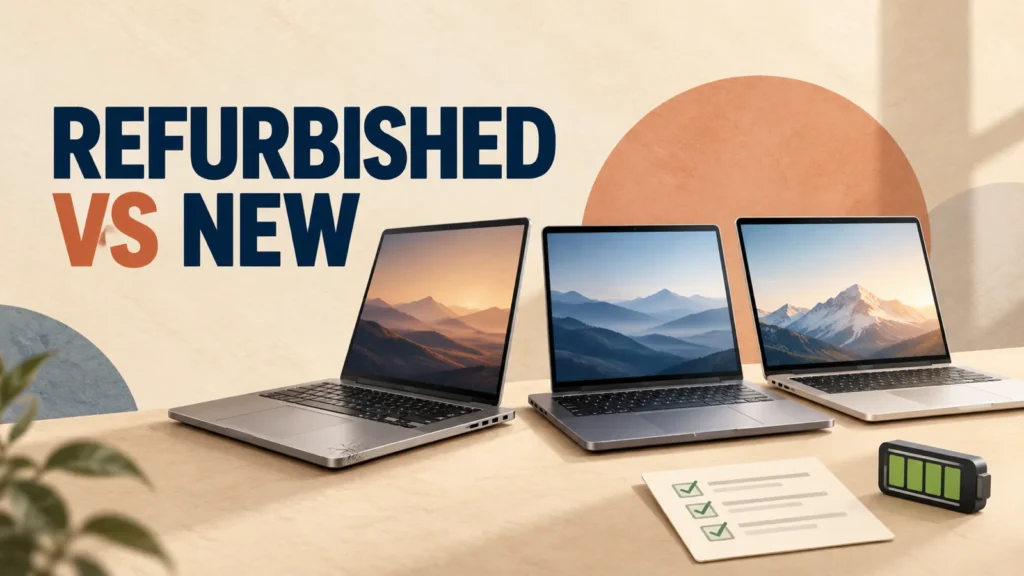
Choosing a refurbished vs new laptop is not simply a choice between cheap and expensive. A professionally refurbished business laptop can be better built than a new entry-level model.
But an unclear listing can hide a worn battery, an unsupported processor, damaged ports or a weak warranty.
Sellers also use the words renewed, refurbished, certified refurbished and open-box differently. This guide explains what each label can mean, when each option makes sense, and what to verify before the return period ends.
Buy new when you need the longest support life, a fresh battery, current hardware or the least purchase risk.
Buy certified refurbished when the discount is meaningful and the seller clearly states the condition, battery standard, warranty, return policy and exact specifications. Treat renewed as a seller-program label, not an automatic quality level.
Table of Contents
ToggleRefurbished vs Renewed vs New Laptops: The Real Difference
A new laptop should be unused and sold with the manufacturer’s normal new-product warranty. An open-box laptop was usually opened, returned, displayed or inspected, but it may not have needed a repair.
A refurbished laptop has usually been inspected, tested, cleaned and repaired where needed before resale. However, there is no single worldwide refurbishment standard that every seller follows.
A manufacturer-certified device, a marketplace-qualified device and a laptop refurbished by an unknown local seller can all use similar wording. The protection behind each one can be very different.
Renewed is commonly another name or program label for refurbished equipment. Amazon Renewed, for example, describes pre-owned and refurbished products inspected and tested by qualified suppliers.
The quality comes from the program’s requirements and the seller’s performance, not from the word renewed itself.
Do not assume that “renewed” is always below refurbished, or that “Grade A” has the same meaning everywhere. Read the exact condition description, battery promise, warranty provider, exclusions, return window, and who pays return shipping.
How the Main Laptop Conditions Compare
New Laptop
A new laptop offers the cleanest ownership history, a new battery, current retail packaging, and the standard warranty for that market. It is the safest choice when downtime would be costly or when you need the newest processor, graphics hardware, wireless features, or on-device AI capabilities.
Open-Box Laptop
Open-box stock can be a customer return, display unit, cancelled order, or item with damaged packaging. It may be nearly unused, but the retailer should still disclose cosmetic wear, missing accessories, warranty terms, and whether the laptop was registered previously.
Certified Refurbished Laptop
Certified refurbished normally refers to a documented program run by the manufacturer or an authorized partner. It is often the lowest-risk refurbished category because testing, grading, warranty service and returns are defined.
Certification still does not automatically mean a new battery, perfect cosmetics, original packaging, or the same warranty in every country.
Marketplace Renewed or Third-Party Refurbished
These laptops can be excellent value when a reputable refurbisher follows clear standards. Quality can also vary from one seller to another on the same marketplace.
Confirm who performed the refurbishment and who handles a claim. Also ask whether replacement parts may be third-party, and whether the charger is original or a compatible replacement.
Used or Pre-Owned Laptop
A used laptop may be sold exactly as the previous owner left it, with no professional testing or repair. A private-sale price should reflect the weaker return protection and the time you must spend checking the machine.
If the seller provides no written testing process or warranty, treat the laptop as used, even when the listing says “like new.”
Refurbished vs New Laptop: When Refurbished Is the Better Buy
A refurbished laptop is most attractive when it lets you move from a weak new configuration to a stronger, serviceable machine without giving up purchase protection.
Off-lease business laptops are common examples. They may offer sturdy hinges, comfortable keyboards, useful ports, replaceable storage and better service documentation.
Refurbished can be a sensible choice for:
- Students and home users who need documents, browsing, classes, video calls and streaming.
- Office work where a dependable keyboard, ports and repairability matter more than the newest design.
- A secondary computer for travel, a workshop, testing or occasional tasks.
- Buyers with a fixed budget who can get 16GB RAM and an SSD instead of a new laptop with limited memory or soldered low-capacity storage.
Always compare exact models. An old Core i7 can be slower, less efficient and less supported than a newer Core i3-class processor.
Compare the full processor name, display, memory, storage, battery, ports and remaining software support.
Budget Laptop Specs: What to Look For Before Buying
Use the specification checklist to compare RAM, SSD capacity, processor generation, display quality, ports, and upgrade options.
When Buying New Is Worth the Extra Cost
Choose a new laptop when lower uncertainty and a longer useful life are worth more than the initial saving.
This matters most for a primary work computer, a machine that must last several years, or a laptop used away from power for long periods.
New is usually the better choice when you need:
- A new battery and predictable unplugged runtime.
- The latest processor, dedicated graphics, NPU, display, ports or wireless features.
- A custom memory, storage, keyboard or display configuration.
- The longest available operating-system and firmware support.
- A full manufacturer warranty with straightforward local service.
- Minimal setup, inspection, return or repair risk.
A small refurbished discount is not automatically a good deal. Compare the final delivered price with current new-model promotions.
Include the possible cost of a battery, charger, storage upgrade, warranty extension and return shipping.

Battery Health Can Decide Whether the Deal Is Good
“Fully functional” does not mean the battery performs like a new one. Battery health describes how much charge the battery can hold compared with its original design capacity.
An 80% threshold therefore means noticeably less capacity than when the laptop was new.
Published programs show why the exact terms matter. Amazon Renewed currently lists more than 90% of original battery capacity for Renewed Premium products and more than 80% for several other conditions.
The Lenovo US Certified Refurbished program publishes a minimum of 80% battery performance and includes a standard one-year Lenovo warranty. These standards belong to those programs; don’t assume them for every refurbished seller.
On Windows 11, Microsoft documents the powercfg /batteryreport command for generating a battery report.
Compare Design Capacity with Full Charge Capacity. Remember that the report is an estimate, not a laboratory measurement.
On a MacBook, check System Settings > Battery for Battery Health, and use System Information to view the cycle count.
Apple publishes model-specific battery cycle limits and says Mac laptop batteries are designed to retain up to 80% of original capacity at their maximum cycle count.
Do not continue using a laptop with a swollen battery, lifting trackpad, separated case, unusual heat, chemical smell, smoke, or hissing. Disconnect power when it is safe to do so and arrange qualified service. Never press, puncture, or bend a swollen battery.
Check Software Support Before Buying an Older Laptop
Windows Laptops
Windows 10 reached the end of normal support on October 14, 2025. Home users can still get security patches through the consumer Extended Security Updates (ESU) program, which Microsoft extended in June 2026 to run until October 12, 2027.
ESU only buys time, so a refurbished laptop sold with Windows 10 should still be able to run Windows 11 officially. See our Windows 10 Extended Security Updates guide for the details.
Official Windows 11 support needs a compatible processor, TPM 2.0, Secure Boot capability, and enough memory and storage.
Don’t rely only on a screenshot showing Windows 11 installed. Ask for the exact processor model and check it against Microsoft’s supported-processor list or the manufacturer’s specifications.
An unsupported installation may run, but that does not make the hardware officially supported.
MacBooks
Identify the exact model and release year, then check which current macOS version supports it. Intel and Apple-silicon MacBooks do not have the same support horizon.
Confirm that Activation Lock is removed and the serial number is recognized before the return period ends.
Apple Certified Refurbished products go through full functional testing, get genuine Apple replacement parts as needed, and include a standard one-year limited warranty with AppleCare available.
Apple promises a new battery and outer shell for refurbished iPhones and iPads, but its overview does not make the same promise for Macs. Check the battery details on the specific listing.
Chromebooks
Check the exact model on Google’s Auto Update policy page. ChromeOS update life is tied to the device platform, not the day the refurbished laptop is sold. A cheap Chromebook can be poor value if only a short support period remains.
What to Check in the Listing Before You Pay
A trustworthy listing should let you identify the actual laptop and the protection attached to it. Before ordering, confirm:
- Exact model and configuration: full processor name, RAM, storage, display resolution, keyboard layout, graphics, wireless hardware and ports.
- Condition standard: cosmetic grade, screen condition, dents, keyboard wear, missing feet, and whether the photos show the actual unit or only stock images.
- Battery promise: minimum health or runtime, how it was measured, and whether the battery is covered by the warranty.
- Warranty provider: manufacturer, marketplace, insurer or seller, plus the duration and excluded parts.
- Return policy: number of days, restocking fees, who pays return shipping, and the process for an item that is not as described.
- Included accessories: charger wattage, power cable, stylus, recovery media, adapters, and whether they are original or generic.
- Software and ownership: legitimate operating-system activation, no firmware password, no remaining business management, and no previous-owner lock.
The US Federal Trade Commission advises marketplace buyers to look for several photos of the actual item, read recent reviews, check the seller’s return terms, and get answers in writing.
It also recommends paying by credit card or another protected method, and never paying outside the marketplace’s own payment system. Avoid wire transfers, gift cards and cryptocurrency.
Legal rights vary by country, so don’t copy another region’s return rules into your decision.
Compare the refurbished laptop with the current street price of a genuinely equivalent new model, not with an old launch price. If the saving disappears after a battery, charger, RAM, SSD, warranty, or shipping cost, buy the stronger overall package.
How to Inspect a Refurbished Laptop After Delivery
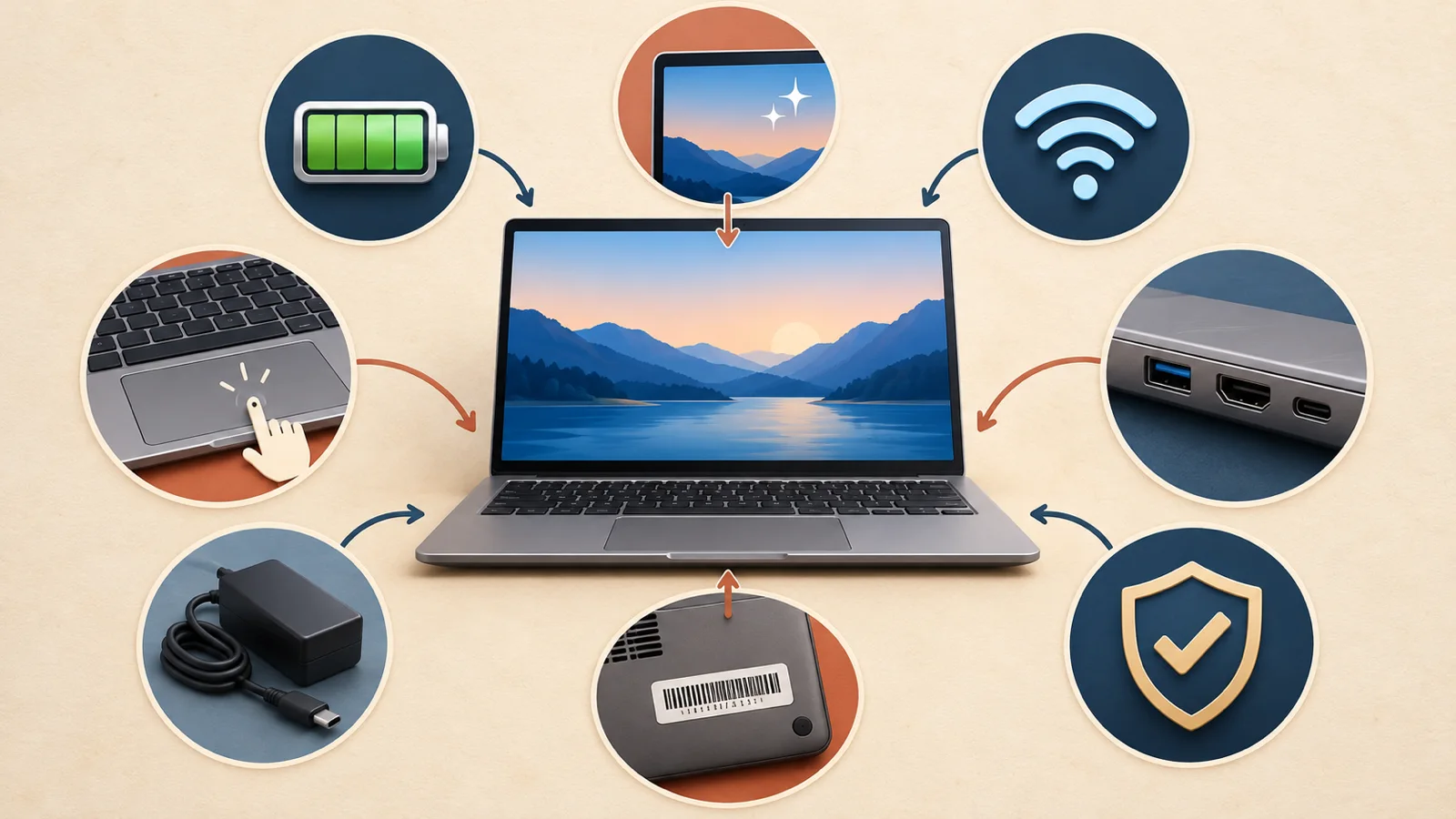
Complete these checks while the return window is open. Photograph the parcel and visible damage before discarding the packaging.
- Match the order. Confirm the model, serial number, processor, RAM, storage, screen, graphics, and keyboard layout.
- Inspect the chassis. Look for loose hinges, separated panels, missing screws or feet, bent ports, cracks, liquid marks, and a lifting trackpad.
- Check the display. Use solid light and dark backgrounds to look for dead pixels, pressure marks, severe backlight problems, flicker, and touch-screen faults.
- Test input and communication. Try every key, the touchpad, webcam, microphone, speakers, headphone jack, Wi-Fi, and Bluetooth.
- Test every port. Check charging, USB-A, USB-C, HDMI or DisplayPort, Ethernet, and the card reader when included.
- Check battery and charger. Generate the available battery-health report, confirm the charger wattage, and watch for unstable charging or excessive heat.
- Run official diagnostics. Use the manufacturer’s built-in or support-app diagnostics, then install firmware and operating-system updates.
- Verify ownership and security. Confirm activation, remove unknown accounts, check for a firmware password or organization management, and complete a clean operating-system setup.
- Verify the warranty. Enter the serial number on the manufacturer or program provider’s official support page and save the invoice and listing.
Do not open the chassis during the return period unless the seller’s terms clearly allow it. Breaking a seal or replacing parts can complicate a return claim.
Red Flags That Should Make You Walk Away
- The processor is described only as “Core i7” or “Ryzen 7” without the full model.
- The listing promises “like new” but gives no condition standard or actual photos.
- Battery health, warranty provider, return period, or charger details are missing.
- The seller uses an unusually low old launch price to exaggerate the discount.
- The laptop runs Windows 11 but the seller will not confirm official compatibility.
- The serial-number label is removed, altered, or unreadable.
- The seller refuses to confirm that activation locks, firmware passwords, and organization management are removed.
- The marketplace rating is strong, but recent reviews repeatedly mention wrong specifications, weak batteries, unsafe chargers, or difficult returns.
One unclear detail may be a listing mistake. Several unclear details are a reason to choose another seller.
Which Laptop Condition Should You Choose?
Choose new for a primary work machine, maximum battery confidence, the newest hardware, long support, or the simplest warranty experience.
Choose manufacturer-certified refurbished when the exact configuration is strong, the discount is meaningful, and the warranty and return process are clearly documented.
Choose marketplace renewed or third-party refurbished only after checking the individual seller, program grade, battery threshold, charger, warranty provider, and return costs.
Choose open-box when the discount is useful, the condition is documented, and new-product warranty coverage remains clear.
Choose used from a private seller only when you can inspect and test the laptop, accept limited protection, and price the additional risk correctly.
How to Buy Laptop: A Practical Guide by Use Case and Budget
Match the processor, memory, graphics, screen, and form factor to the work you actually perform.
Frequently Asked Questions
Is renewed the same as refurbished?
Often, yes. Renewed is commonly a retailer or marketplace label for inspected and refurbished products. There is no universal quality difference built into the words, so compare the specific program, grade, battery standard, warranty, and seller.
Are refurbished laptops safe to buy?
They can be safe and reliable when the seller has a documented testing process, clear condition grade, meaningful warranty, return protection, legitimate software, and a good record. Avoid vague listings and complete your own inspection during the return window.
Is 80% battery health good for a refurbished laptop?
Eighty percent is a common minimum in some refurbishment programs, but it provides less capacity than a new battery. Whether it is acceptable depends on the price, expected unplugged use, replacement cost, and the seller’s written threshold.
How old is too old for a refurbished laptop?
There is no safe age limit by itself. Check the exact processor, operating-system support, firmware updates, and battery and replacement-part availability.
A supported, serviceable older business laptop may be useful, while a newer unsupported model can still be a poor purchase.
Is a refurbished business laptop better than a new budget laptop?
It can offer better build quality, keyboard, ports, memory, and serviceability for the same price. A new budget laptop can offer a fresh battery, newer efficiency, longer support, and simpler warranty service. Compare the exact models and total cost.
Should I buy a refurbished gaming laptop?
Be more cautious. Gaming laptops experience higher heat and component loads, while their batteries, cooling systems, displays, and GPUs can be costly to repair. Buy only with strong testing, a meaningful warranty, and enough time to test performance and temperatures.
The Bottom Line
The best refurbished vs new laptop decision depends on the complete deal, not the label. New offers the lowest uncertainty and the longest expected support.
Certified refurbished can deliver excellent value when the seller documents the condition, battery, warranty and returns.
Treat renewed as a program name, not a guaranteed quality tier. Verify the exact model, remaining software support, battery condition, charger, ownership status and warranty.
Then test everything before the return period closes.