The best free VPN is not simply the service with the word unlimited on its download page. A useful free plan needs a clear business model, modern VPN protocols, a readable privacy policy, usable apps, and limits you can understand before installing it.
This guide compares five established freemium services using their current published plan details. We did not run speed benchmarks, so the recommendations focus on documented data allowances, locations, device rules, privacy features, and practical limitations.
Proton VPN Free is the strongest general choice when unlimited data matters. Windscribe Free is better for several personal devices but caps monthly data. hide.me Free offers unlimited data with restricted speed and one connection. PrivadoVPN Free provides 10 GB at full speed across 12 locations, while TunnelBear Free is easiest for short tests but allows only 2 GB per month.
Table of Contents
ToggleBest Free VPN Comparison
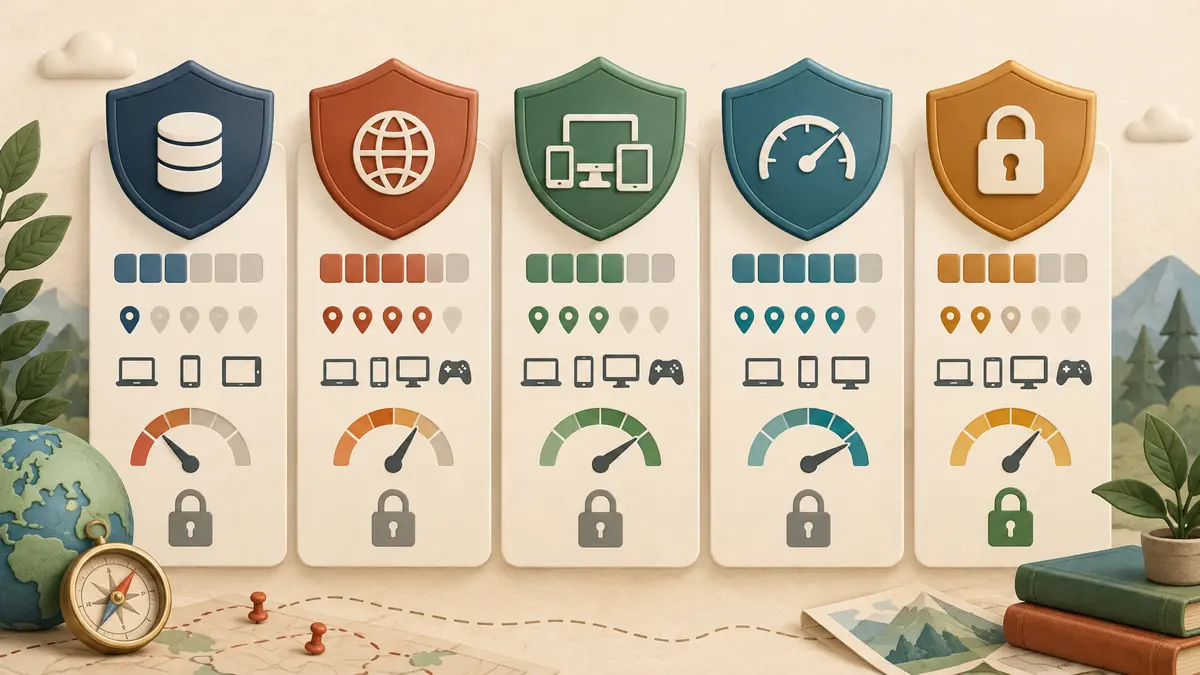
- Proton VPN Free: Unlimited data, free servers across 10 countries, and one connection. Free users have limited server choice, and streaming access is not guaranteed.
- Windscribe Free: 10 GB per month with a confirmed email address or 2 GB without one, servers in 10 countries, and unlimited personal devices. The shared monthly data cap is the main limitation.
- hide.me Free: Unlimited data, up to eight listed locations, and one connection. Free traffic runs at restricted speed with fewer features.
- PrivadoVPN Free: 10 GB every 30 days at full speed, 12 locations, and one connection. Speed falls after the full-speed allowance is used.
- TunnelBear Free: 2 GB per month with support for multiple installations. Standard free users connect automatically, while country selection requires payment.
Plan details change. Confirm the limit shown in the provider’s app before relying on it for travel, remote work, or a large download. None of these services pays TechSavvyHelp for inclusion, and the vendor links below are ordinary, unsponsored links.
How We Chose These Free VPNs
This is a documented plan comparison, not a speed-test ranking. A provider qualified only when it clearly publishes who operates the service, how the free tier is funded, its current usage limits, and the core security features available without payment.
- Transparent funding: each service uses a freemium model supported by paid subscribers rather than presenting an unexplained unlimited product.
- Clear limits: data, location, speed, or device restrictions are visible before or during signup.
- Whole-device apps: these are VPN services, not browser-only proxies marketed as full-device protection.
- Privacy controls: each provider publishes a no-logs or activity-logging position and offers standard encrypted VPN connections.
- Practical availability: apps cover common desktop or mobile platforms, although features can differ by operating system.
A published policy is still a vendor statement. An audit, open-source app, or transparency report adds useful evidence, but it does not make any service risk-free or anonymous.
1. Proton VPN Free: Best Overall for Unlimited Data
Proton VPN Free publishes the clearest unlimited plan in this group: no data or time limit, no ads, one simultaneous connection, and free servers across 10 countries. Proton also states that its free apps use the same no-logs policy and core encryption as its paid service, with kill-switch and leak-protection features available by platform.
The main compromise is control. Free users get a smaller pool and may be connected automatically rather than choosing from the paid network. Proton does not guarantee streaming-service access on the free tier, and busy free servers can affect real-world speed.
Choose it if: you want ongoing browsing protection without watching a monthly meter. Skip it if: you need several simultaneous connections, a specific country, reliable streaming, or peer-to-peer features.
See the current Proton VPN Free account limits.
2. Windscribe Free: Best for Several Personal Devices
Windscribe Free provides 10 GB per month after you confirm an email address, or 2 GB without an email. Its official plan page lists servers in 10 countries and allows the account on unlimited personal devices. The free apps include the provider’s firewall-style connection protection and a limited version of its domain blocker.
Ten gigabytes is comfortable for browsing, email, and occasional public Wi-Fi, but video, cloud backups, game downloads, and operating-system updates can exhaust it quickly. Unlimited devices share the same account allowance, so this is breadth rather than unlimited usage.
Choose it if: you want one free account across a laptop, phone, and tablet. Skip it if: you need always-on protection for heavy traffic.
Verify the current allowance on Windscribe’s official free-plan page.
3. hide.me Free: Best Unlimited Option Without Registration
hide.me currently advertises unlimited free data, no required signup, one active connection, and a limited selection of free locations.
Its pricing page lists eight free locations with restricted speeds, while a support article names seven. That is why the table says up to eight. Check the app itself before choosing hide.me for a particular country.
The no-registration path is useful when you want a basic VPN without handing over an email address. The tradeoff is restricted performance, one connection, and no guarantee that a desired location or premium feature will be available.
Choose it if: unlimited traffic and minimal signup matter more than top speed. Skip it if: you need precise location choice, streaming-optimized servers, or several devices at once.
Compare the latest limits on the hide.me pricing page.
4. PrivadoVPN Free: Best for a 10 GB Full-Speed Allowance
PrivadoVPN says its free account includes 10 GB every 30 days, 12 server locations, one connection, and the same core encryption protocols used by its paid service. Its support documentation says the connection continues at a limited speed after the full-speed quota is used.
This makes the plan suitable for occasional use when you want more location choice than some unlimited free tiers. The 10 GB allowance is still small for regular video or large transfers, and the provider reserves streaming support and a wider network for paid accounts.
Choose it if: you want a defined full-speed allowance and 12 location choices. Skip it if: you need consistently fast, unlimited traffic.
Review PrivadoVPN’s current free-plan overview.
5. TunnelBear Free: Best for Beginners and Short Tests
TunnelBear Free provides 2 GB of encrypted data each month. Its simple apps make it useful for learning how a VPN behaves or protecting a brief public-Wi-Fi session. TunnelBear states that free and paid users receive the same performance level, but the small quota defines the free plan.
Since changes announced in December 2025, standard free users no longer receive country selection or split tunneling. The service can be installed on multiple devices, but 2 GB disappears quickly if you stream video, sync photos, or download updates.
Choose it if: you want a straightforward trial or emergency connection. Skip it if: you need daily always-on coverage or control over the exit country.
Check TunnelBear’s official plan comparison.
Which Free VPN Should You Choose?
- For unlimited everyday browsing: Proton VPN Free offers the best balance of documented privacy controls and no data cap.
- For several personal devices: Windscribe Free is more flexible, provided 10 GB per month is enough for the shared account.
- For no-email setup: hide.me Free is the clearest option here, with unlimited data but restricted performance.
- For more location choice inside a capped plan: PrivadoVPN Free lists 12 locations and 10 GB at full speed.
- For a simple trial: TunnelBear Free is approachable, but the 2 GB cap makes it a test plan rather than full-time protection.
Do not choose solely by the number of countries. A nearby stable server, a working kill switch, clear ownership, and a plan you can leave enabled are more useful than a long location list you rarely need.
What a Free VPN Protects and What It Does Not
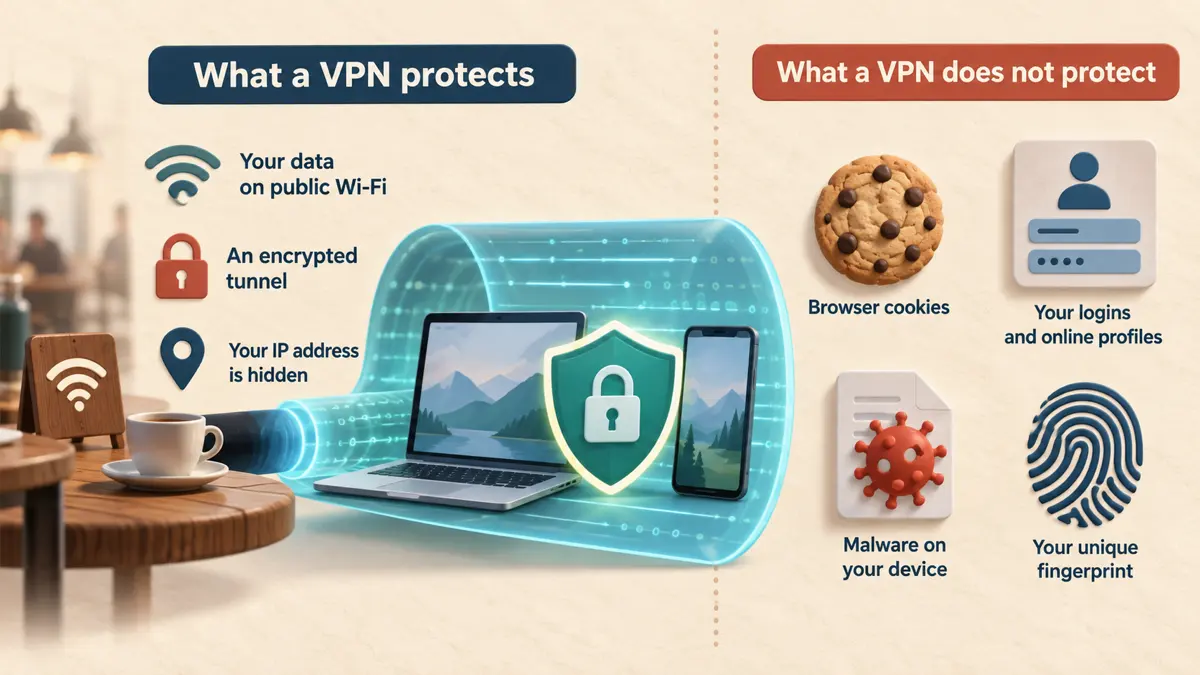
A full-device VPN encrypts traffic between your device and the VPN server. This helps protect data on untrusted Wi-Fi, hides your public IP address from websites, and prevents the local network or internet provider from directly seeing the destinations inside the encrypted tunnel.
It does not erase browser cookies, hide activity from accounts you sign into, remove malware, stop phishing, or defeat browser fingerprinting. The VPN provider also becomes an important trust point because it operates the server where your traffic exits.
A VPN therefore complements device security rather than replacing it. Use unique passwords, two-factor authentication, current software, and reputable security tools. See our mobile device security guide and antivirus comparison for the layers a VPN does not provide.
Avoid a free VPN when the operator is hidden, the privacy policy is missing or vague, the app asks for unrelated permissions, or the service promises unlimited everything without explaining how it is funded. Never install a modified VPN APK from an unofficial download site.
When a Paid VPN Makes More Sense
Paying becomes reasonable when the free plan forces you to disconnect, prevents you from selecting the required country, or cannot cover all devices at once. Paid plans also commonly provide larger networks, faster or less crowded servers, streaming support, router configuration, and responsive customer support.
A subscription does not automatically prove privacy. Read the renewal price, refund terms, ownership, logging policy, audit history, and cancellation method before paying. For access errors after connecting, use our guide to why websites block VPN connections.
Learn why banking, streaming, shopping, and search sites sometimes reject shared VPN addresses and what you can safely try.
Our complete Windows 11 security checklist, with links to every security guide.
Best Free VPN FAQs
Is a free VPN safe for online banking?
A reputable VPN can protect traffic on untrusted Wi-Fi, but it does not make a fraudulent banking page safe. Use the bank’s official app or typed address, enable two-factor authentication, and avoid an unfamiliar free VPN for financial accounts.
Can a free VPN make me anonymous?
No. A VPN changes the IP address seen by websites and encrypts the connection to its server. Logins, cookies, payment details, browser fingerprinting, and activity inside an online account can still identify you.
Which free VPN has unlimited data?
Proton VPN Free and hide.me Free currently advertise unlimited data. Proton allows one connection and free servers in 10 countries. hide.me limits speed and provides one connection with a smaller location list. Verify the current app before relying on either.
Why do websites block free VPN servers?
Free servers carry traffic for many users, so several people share the same exit address. Abuse, automated traffic, or simple location checks can cause a site to challenge or block that shared address.
Should I leave a free VPN connected all the time?
Only if the service is trustworthy, stable, and does not break essential apps. Always-on use is easier with unlimited data. Confirm that the kill switch and auto-connect features work on your operating system before depending on them.
Best Free VPN: The Bottom Line
For most people, Proton VPN Free is the simplest recommendation because it removes the monthly data decision. Windscribe is stronger when several personal devices matter, while hide.me provides another unlimited option with different speed and location tradeoffs. PrivadoVPN and TunnelBear work best when a defined allowance matches occasional use.
Whichever service you choose, download it only from the provider or official app store, confirm the current free-plan limit, and remember that a VPN protects a network connection, not every part of your online identity or device.